




Procore Company Logo
Project Management icon
Project Management
Request a demo
Benefits
Request a demo

Unlock access to this video.

Complete the form to see how Procore can help you build better now.

Thank You!

We'll send you and email shortly.

Animation of Procore's Project Management product UI

Construction project management software

Deliver projects on time and on budget

Connect your teams and project information to make better decisions, faster, with construction project management software.

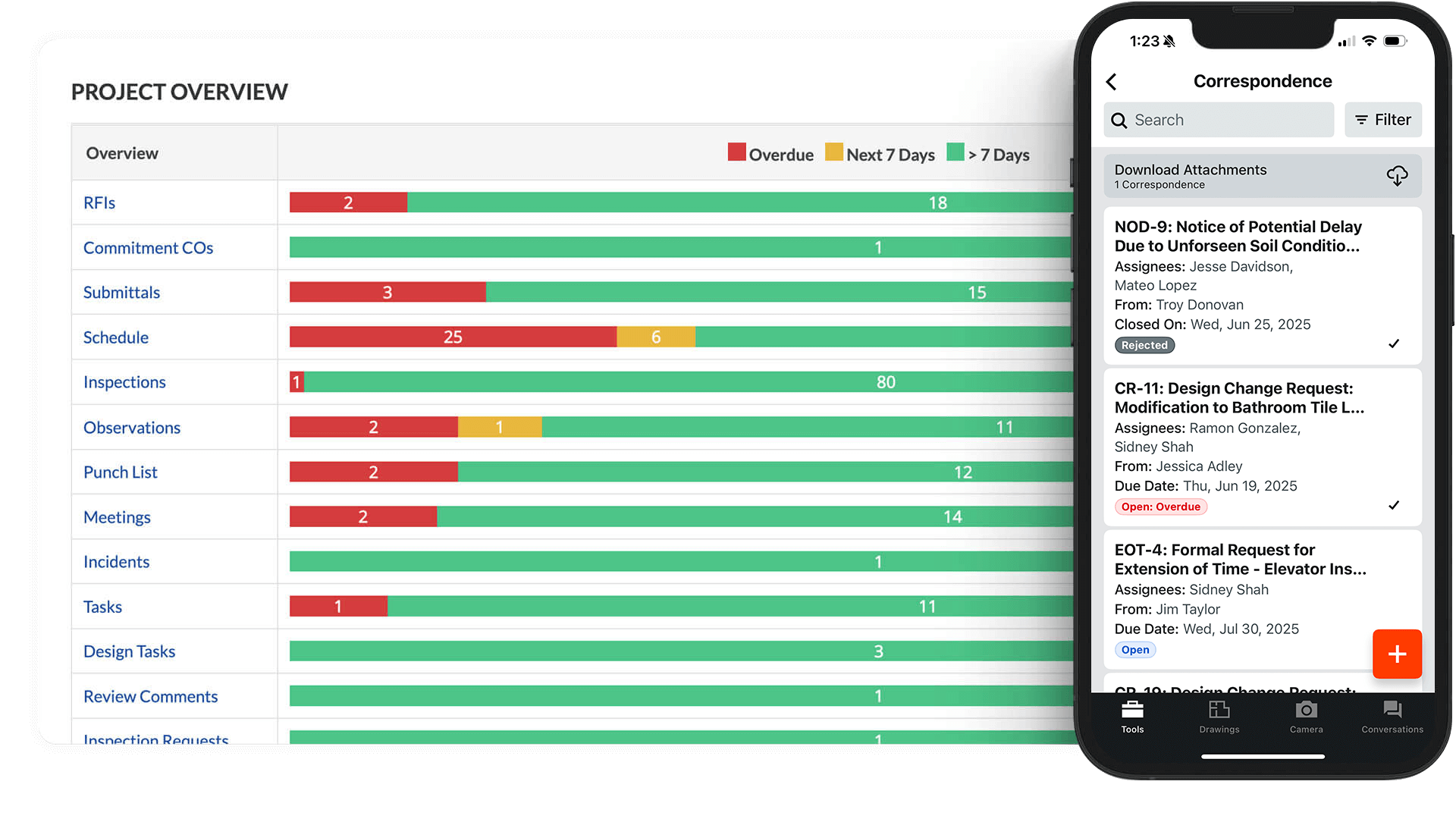
ANZ Correspondence product image

Field productivity

Work more efficiently with mobile-first connection

Provide your field teams with purpose-built mobile tools. Access drawings, log daily reports, and capture photos even when you’re offline. 

  • Maintain full offline functionality on remote sites.

  • Sync photos and markups instantly.

  • Automate GPS-stamped daily logs and timecards.

Explore Resource Tracking

Project health scores and financial data for multiple construction projects displayed in a table.

Workflow efficiency

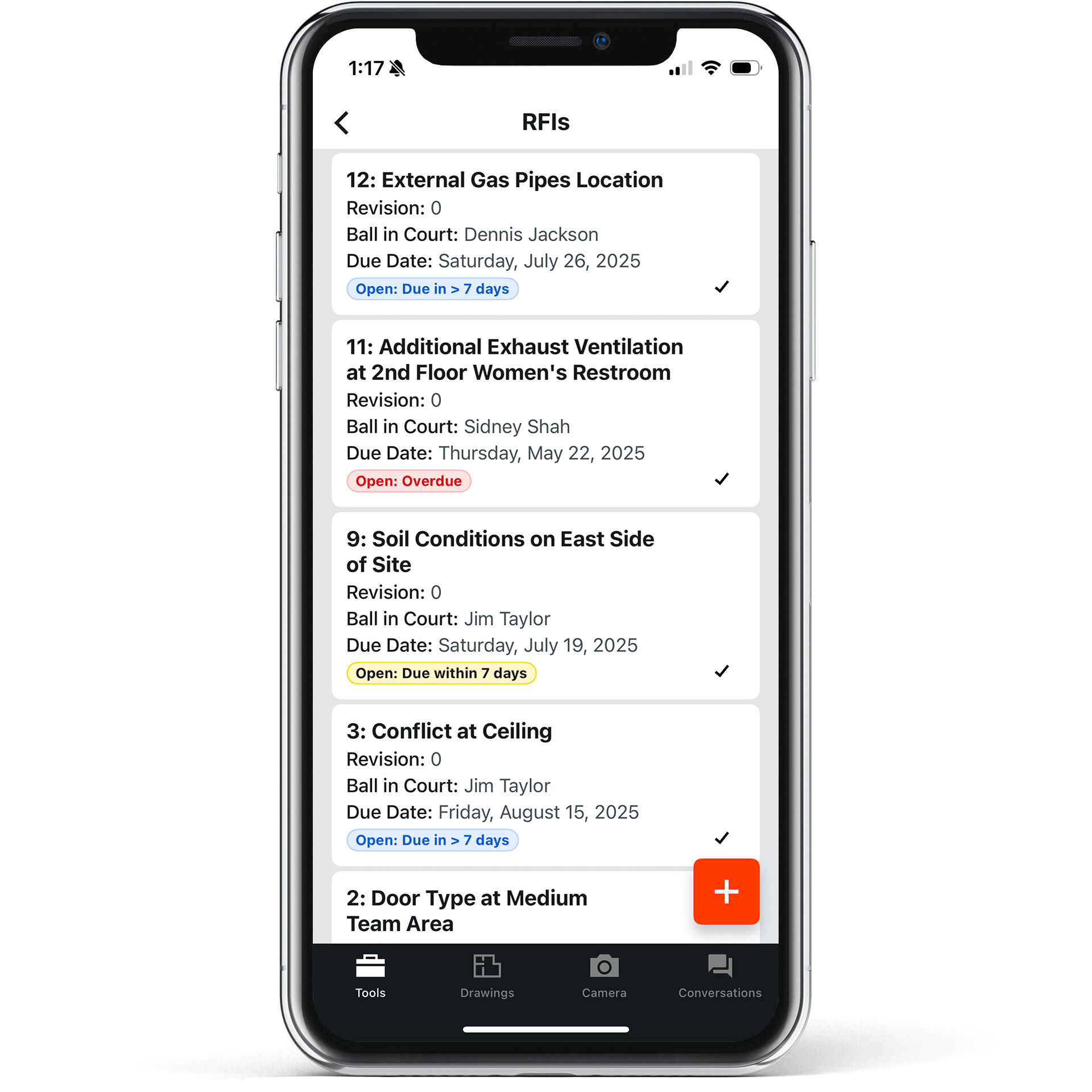
Streamline RFI and submittal processes

Keep your project on schedule by automating administrative tasks. Speed up approval cycles and help track project requirements without manual follow-up.

  • Automated tracking and alerts

  • Standardized submittal logs

  • RFI-to-drawing linking

Explore RFI features

Story Section Image

Financial visibility

Protect your profit with real-time cost data

Connect your field production data to your budget. Track labor costs and commitments as they happen so you can identify potential overruns before they impact your bottom line.

  • Track labor and commitments with real-time budget tracking.

  • Manage change orders directly from the field.

  • Sync job costs with your accounting software.

Explore Financial Management

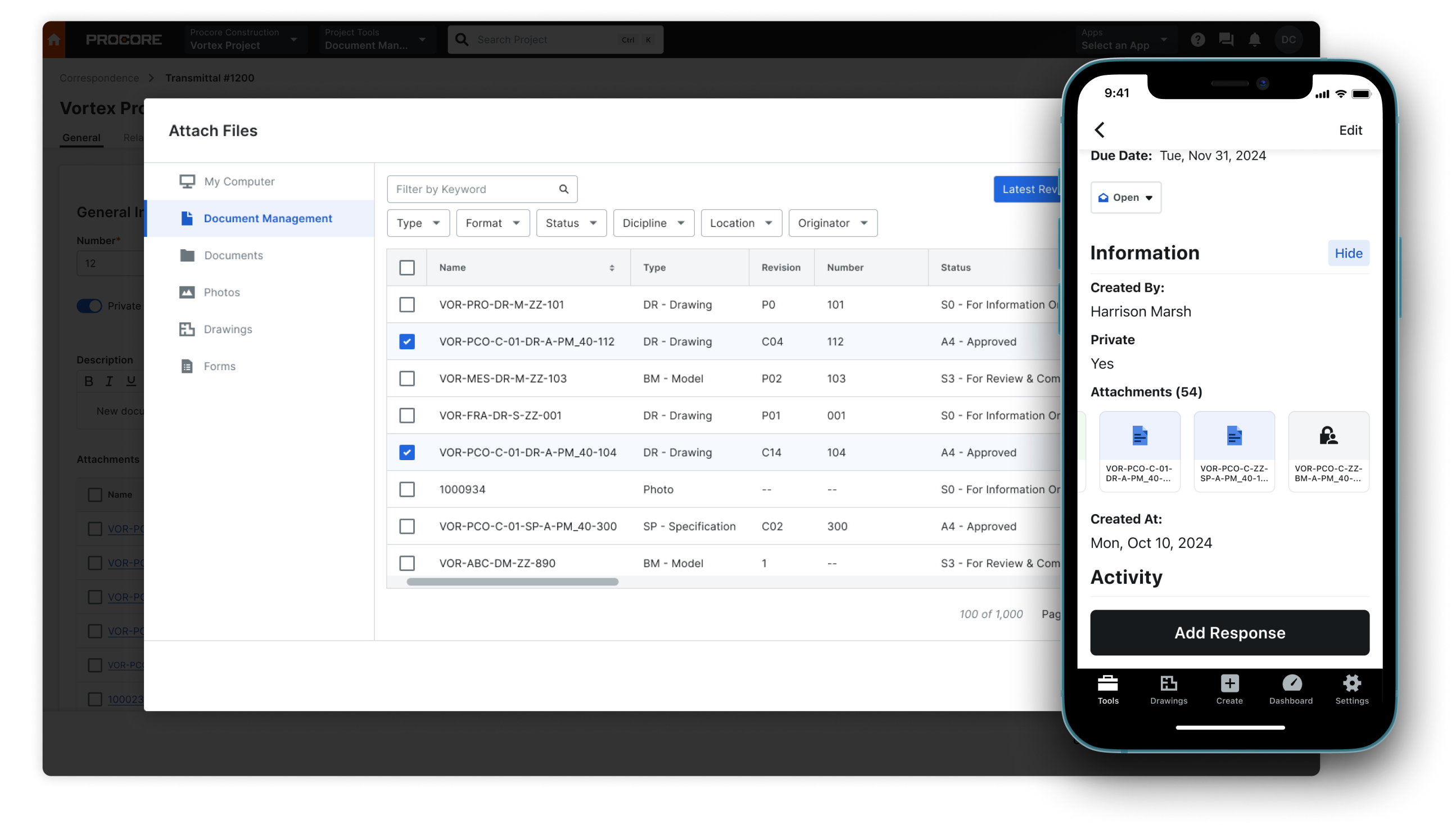
A screen of a laptop and a phone showing Procore's documents tool

Document control


Unify your project around the current drawing set

Minimize the risk of building off old revisions. Connect your field and office teams to the same sheets with automatic naming and hyperlinking, keeping your whole team on the right page without the manual sorting.

  • Automated drawing sheets and hyperlinking

  • Secure, unlimited document storage

  • Real-time spec and submittal tracking

Explore Document Control

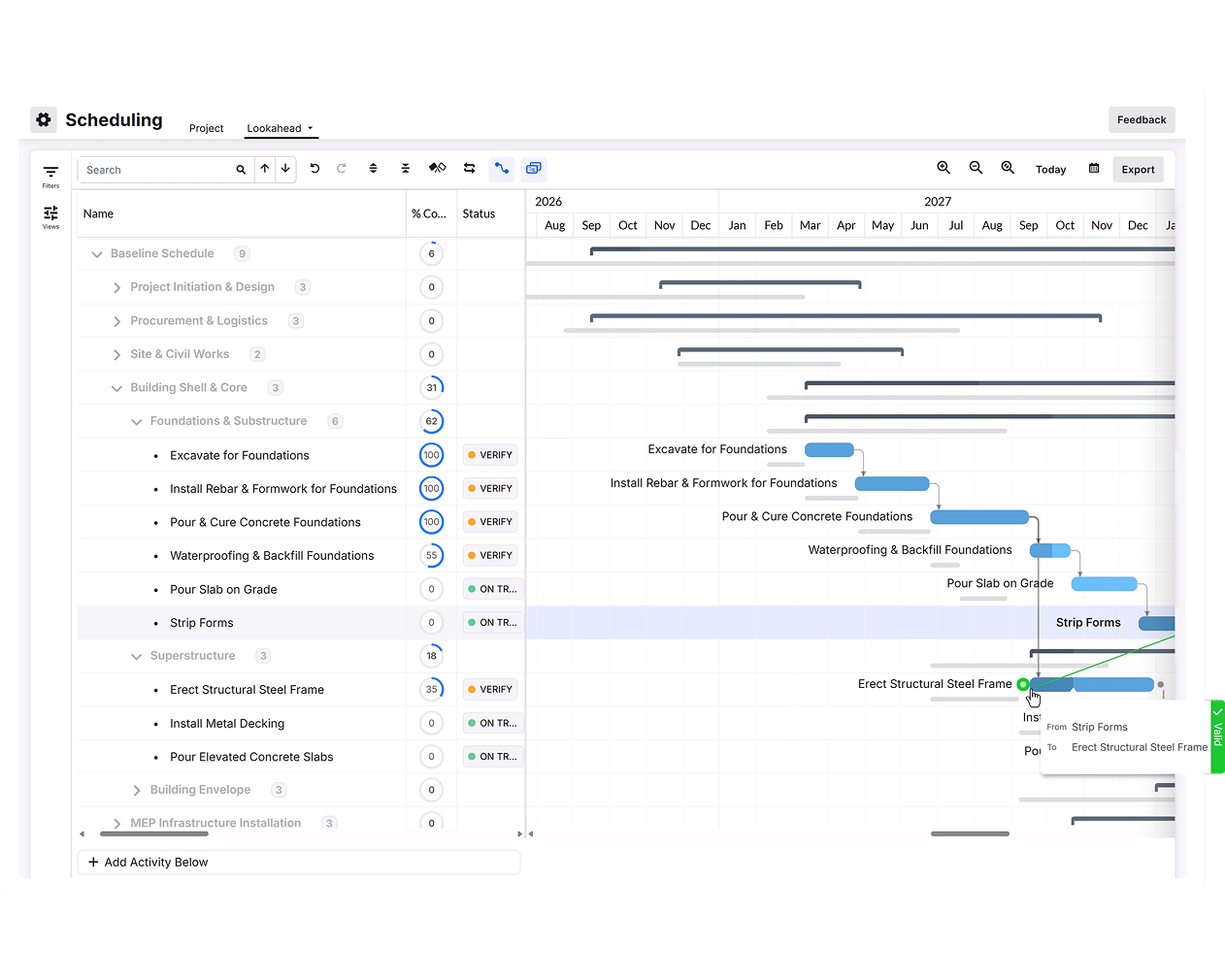
Gantt chart showing construction tasks with colored bars and dependencies.

Schedule certainty

Keep your project moving with integrated scheduling

Bring your schedule into the field so everyone knows the plan. Link tasks to daily logs and RFIs to understand how field progress impacts your critical path.

  • Share schedule updates instantly with the field.

  • Build look-ahead reports to anticipate crew needs.

  • Connect directly with your current scheduling tools.

Explore Scheduling

Statistically better

See how Project Management helps our clients improve their processes across the board.

8 days

Faster RFI distribution

15

Days saved by general contractors

90%

Customers report better communication

* Based on a 2022 survey of Procore customers

Procore cultivates intimate collaboration for owners and partners during construction and decision-making. It has been very impactful.

Karl Sorensen

Director of Project Solutions

HITT Contracting

Project Management Tools

Access to the right tools to manage your projects, available on any device.

Icon for Procore's Directory tool

Directory

Store all contact data for project team members and vendors with customizable permissions, controlling who has access to the directory.

Icon for Procore's Canned Reports tool

Canned Reports

Insights to help you analyze every detail.

Icon for Procore's Transmittals tool

Transmittals

Don’t lose sleep over your important documents.

Icon for Procore's Document Management tool

Document Management

When documents go digital, nothing gets lost.

Icon for Procore's Specifications tool

Specifications

Intelligent Spec Management—save time while doing more.

Icon for Procore's Schedule tool

Schedule

Minimize confusion with integrated scheduling software.

Icon for Procore's Tasks tool

Tasks

Track and manage every coordination-related step in your process.

Icon for Procore's Submittals tool

Submittals

Don’t let inaccuracy sink your projects.

Icon for Procore's Meetings tool

Meetings

Manage all aspects of your project meetings.

Icon for Procore's RFIs tool

RFIs

RFI software to remind, record, and remove excuses.

Icon for Procore's Drawings tool

Drawings

Revisions won’t need markers, scissors, sticky notes, or tape.

Icon for Procore's Photos & Videos tool

Photos & Videos

Capture your questions, skills, and results in a snap.

Icon for Procore's Daily Log tool

Daily Log

Capture everything you need to report to the office.

Icon for Procore's Emails tool

Emails

Open your inbox to everything you need to know.

Icon for Procore's Punch List tool

Punch List

Streamline construction with punch list software.

Icon for Procore's Timecard tool

Timecard

Fast time tracking for the project management team.

Icon for Procore's Correspondence tool

Correspondence

Manage critical project communication of any type.

Icon for Procore's Connectability tool

Connectability

Simplify collaboration by connecting projects and sharing data across teams.

Icon for Procore's Maps tool

Maps

View project photos on a map.

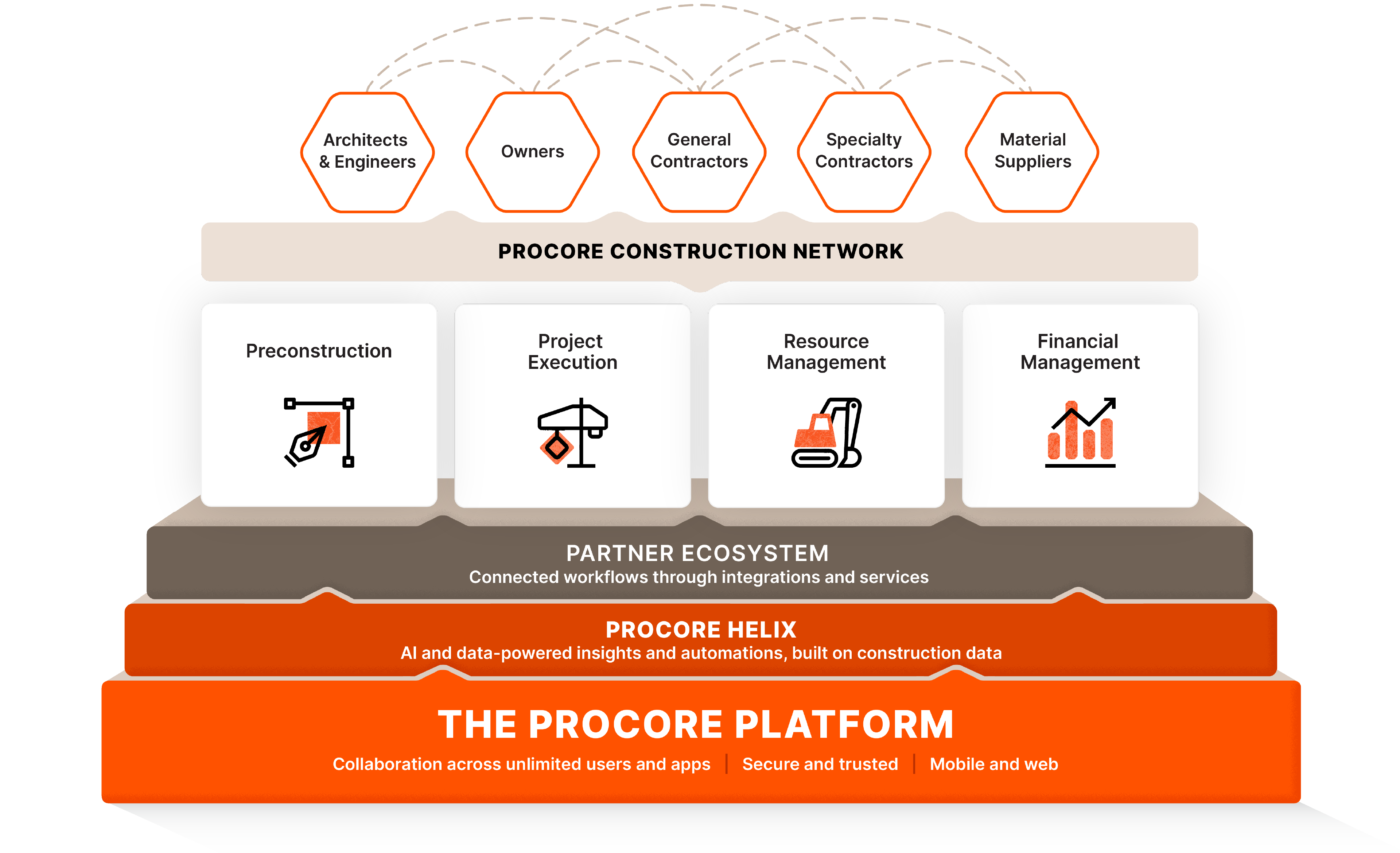
Connect everyone and everything on one platform—build better

Work more efficiently, communicate better, and build faster from a single source of truth. See how you can do more on the leading construction management platform.

Explore the Platform

Procore Marketecture Platform diagram

Tap into 500+ integrations and apps you love working with.

If we don't build it, chances are, there's an app or integration for it on our marketplace. So you can work the way you want to, all without ever leaving Procore.

Learn more about Project Management

Construction site with cranes and buildings under a clear blue sky

Quantifying the Value of Construction Management Software

Inside the 2025 Dodge & Data Analytics ROI report

FAQs

One central hub connects your jobsite and office teams to ensure everyone works from the latest drawings and schedules. By hosting data in the cloud, you automatically reduce the risk of teams using outdated info, which protects your budget and helps minimize costly rework.

See how Project Management can work for your team.

Get started here.

4.5(2,656)

4.6(41K)

4.6(43K)

4.1(3,100)