
Procore Company Logo
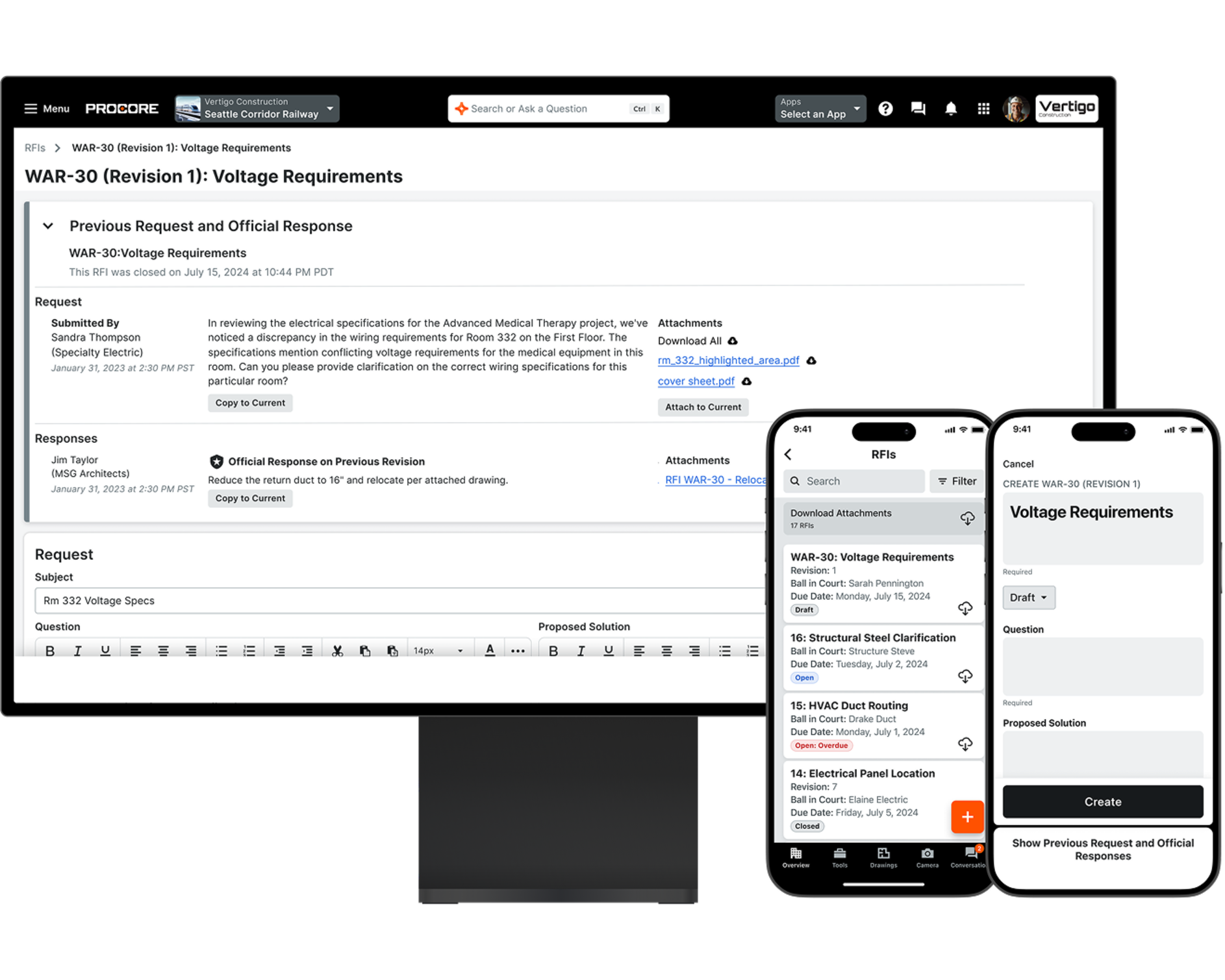
Procore's RFI tool UI on a desktop and phone
Orange hexagon

Construction Rfi Software

Keep projects moving with faster, smarter RFIs

Streamline communication, reduce delays, and turn requests for information into action—all without slowing down the field.

Make request workflows effortless in the field

Requests for information (RFIs) can help a project run smoothly and on schedule, but they can also cause delays, which can mean cost overruns and lost profit. Procore’s RFI tool lets you keep projects on track by streamlining how RFIs are created, answered, and followed up.

Request a demo

icon_RFI illustrated icon

Stay organized

Keep every RFI in one accessible, searchable place so nothing gets missed.

icon_email illustrated icon

Respond faster

Let architects and engineers reply directly from email—no login required.

icon_checklist illustrated icon

Manage costs

Quickly convert responses into change events to stay ahead of cost impacts.

icon_platform illustrated icon

Track conversations

Keep a complete communication history to reduce confusion and support closeout.

A woman using a phone and wearing safety gear

Communication

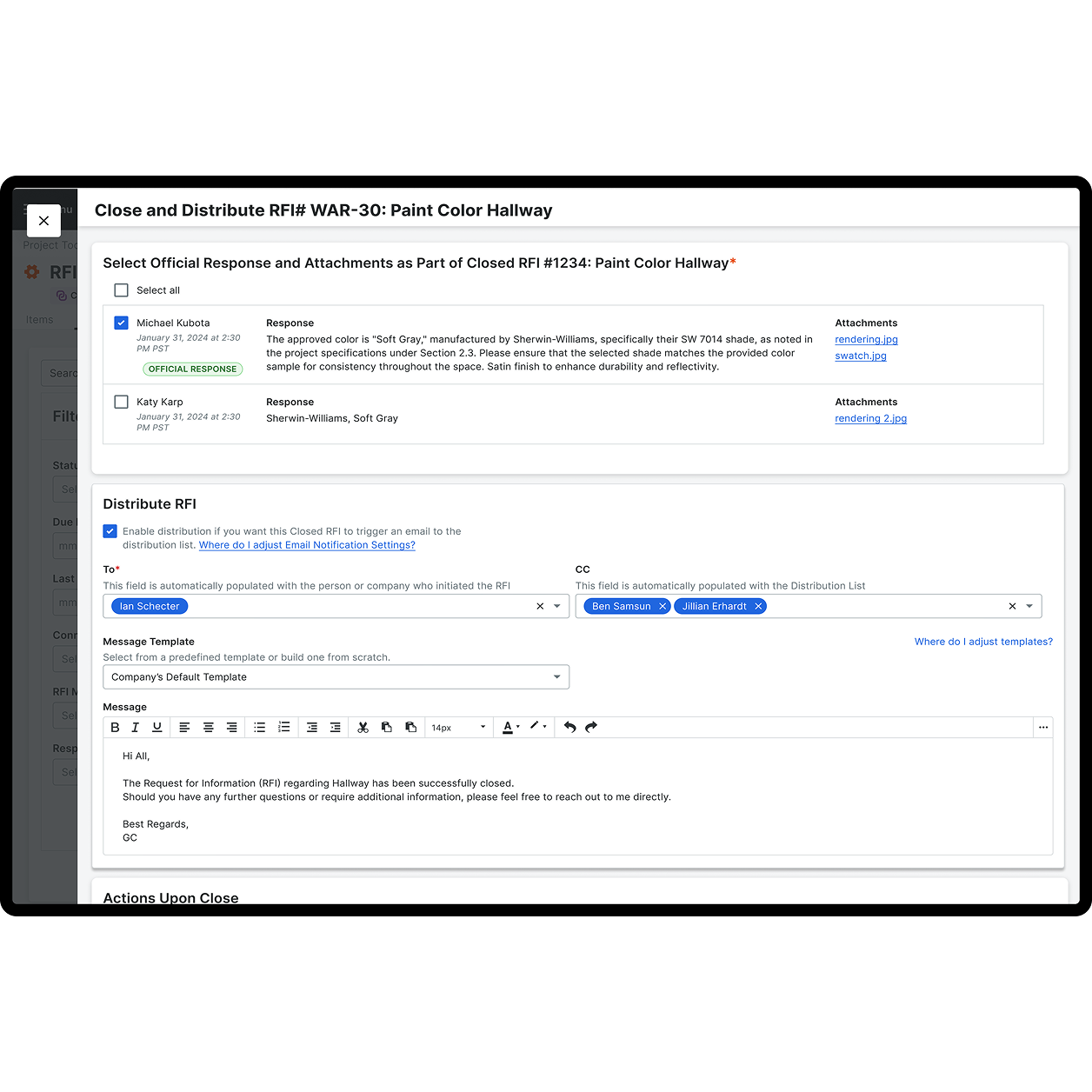
Close RFIs faster with email-based replies

With Procore, architects and engineers don’t need to log in to respond to RFIs. They can reply directly via email without training or extra steps. Learn how to:

  • Reduce delays with easy, email-based communication

  • Remove friction from the RFI response process

  • Eliminate login barriers for external stakeholders

  • Accelerate project timelines by closing RFIs faster
Request a demo

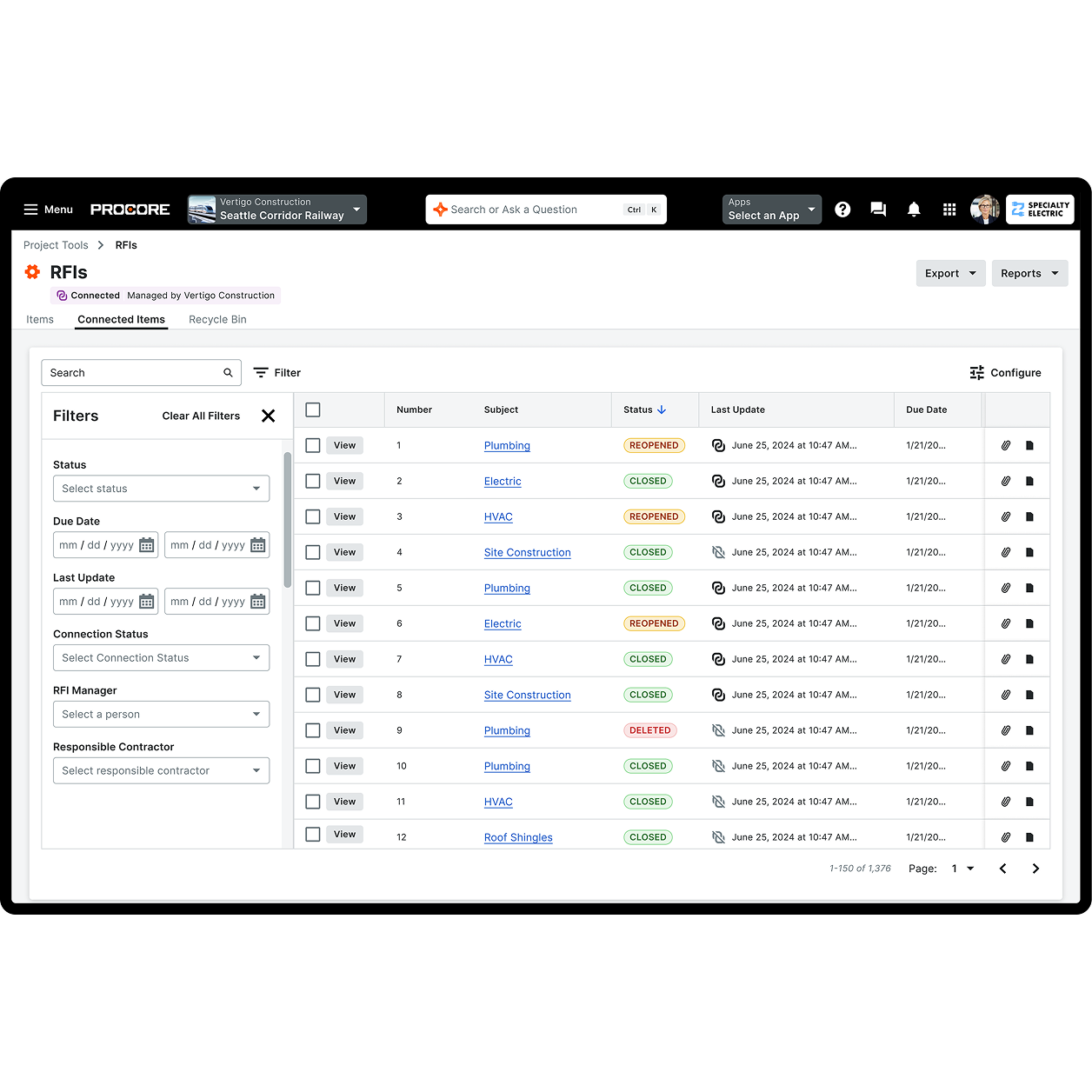
Procore's RFI tool UI

Documentation

Track every step of the RFI process

Procore automatically logs every comment, reply, and update tied to each RFI—creating a complete communication history accessible anytime, even after project closeout. Learn how to:

  • Maintain full transparency with a complete audit trail

  • Avoid disputes with documented communication history

  • Quickly access past RFIs and decisions made

  • Support compliance and closeout with historical records

A woman contractor smiling to the camera

Tracking

Turn RFIs into action with automated follow-ups

Procore brings transparency and accountability to the RFI process. Automated reminders help keep teams aligned and RFIs moving forward. Learn how to:

  • Avoid costly rework by ensuring no RFI gets overlooked

  • Keep projects moving by keeping every stakeholder informed

  • Minimize downtime with proactive, automated reminders

  • Build trust and accountability through process transparency

Procore's RFI tool UI

References

Attach drawings, specs, photos, and more using Procore’s “Related To” feature. With all supporting info in one place, your team can make informed decisions faster. Learn how to:

  • Resolve issues faster with complete context at your fingertips

  • Eliminate miscommunication by keeping supporting info in one place

  • Accelerate approvals with instant access to critical documents

  • Align teams and reduce errors with clear, shared documentation

The top of a building under construction

Customer Story

Procore has greatly simplified the RFI process.

Brian Schmidt

Senior Project Manager

Martin-Harris

Tap into 500+ integrations and apps you love working with

If we don't build it, chances are, there's an app or integration for it on our marketplace. So you can work the way you want to, all without ever leaving Procore.

Explore all integrations

FAQs

Requests for Information, most commonly referred to as RFIs, are formal documents used during construction projects to ask upstream questions for clarity on design, specifications, approvals, and more. Sometimes, construction drawings don’t include enough detail for the people doing the work or don’t reflect the latest design changes. Other times, the people doing the work might prefer to use materials or methods that differ from what the designers have specified. Material, equipment, and labor shortages might also require the construction people to deviate from the original plans. Before they do that, they will use an RFI to request the changes they seek.

Most contractors use RFIs. The general contractor (GC), or construction manager on a project, is typically the party submitting RFIs to the design team. Subcontractors and specialty contractors will submit their RFIs to the GC. The GC might have the latitude to approve the requests from their subs, or they might need to forward the request to the architect or engineer. Depending on how the project management is structured, there could be times when fabricators submit RFIs directly to the design team.

Procore’s RFI software creates an accurate, accountable, and timely RFI process. Because the software streamlines the RFI process, RFIs don’t fall through the cracks and cause project delays, resulting in people not having the correct information to proceed with the work. This better and smoother RFI process also reduces rework by improving information sharing, so crews are familiar with the quality goals and use the right materials or methods.

A significant benefit of using Procore’s RFI software is that it helps keep RFIs organized and accessible. Everyone involved in an RFI can handle their portion using email. Procore’s RFI software puts transparency and accountability into the RFI process so people always know who has the RFI and its status. People working on an RFI can send automatic reminders so the process doesn’t get bogged down at any stage. Because RFIs are handled quickly and efficiently, change orders also move along optimally. With Procore's "Related To" feature, you can attach any electronic document to an RFI, including plans, specs, photos, and PDFs. Procore’s RFI software records each RFI’s history, so accountability is just a few keystrokes away, and end-of-project reporting offers a pathway to improvement.

Procore’s RFI software uses industry-standard templates and forms and follows industry-recognized RFI procedures.

Yes. To date, Procore integrates with accounting apps, bidding platforms, estimating and takeoff apps, progress documentation trackers, resource management apps, and scheduling apps. Other integrations include analytics, BIM, consultants, devices, drones, field communications, quality, safety, and many more.

Get started now

If you can send an email, you can use Procore. Streamlined construction is really that simple.

4.5(2,656)

4.6(43K)

4.1(3,100)

4.6(41K)