



Procore Company Logo
Resource Tracking icon
Resource Tracking
Request a demo
Benefits
Request a demo

Unlock access to this video.

Complete the form to see how Procore can help you build better now.

Thank You!

We'll send you and email shortly.

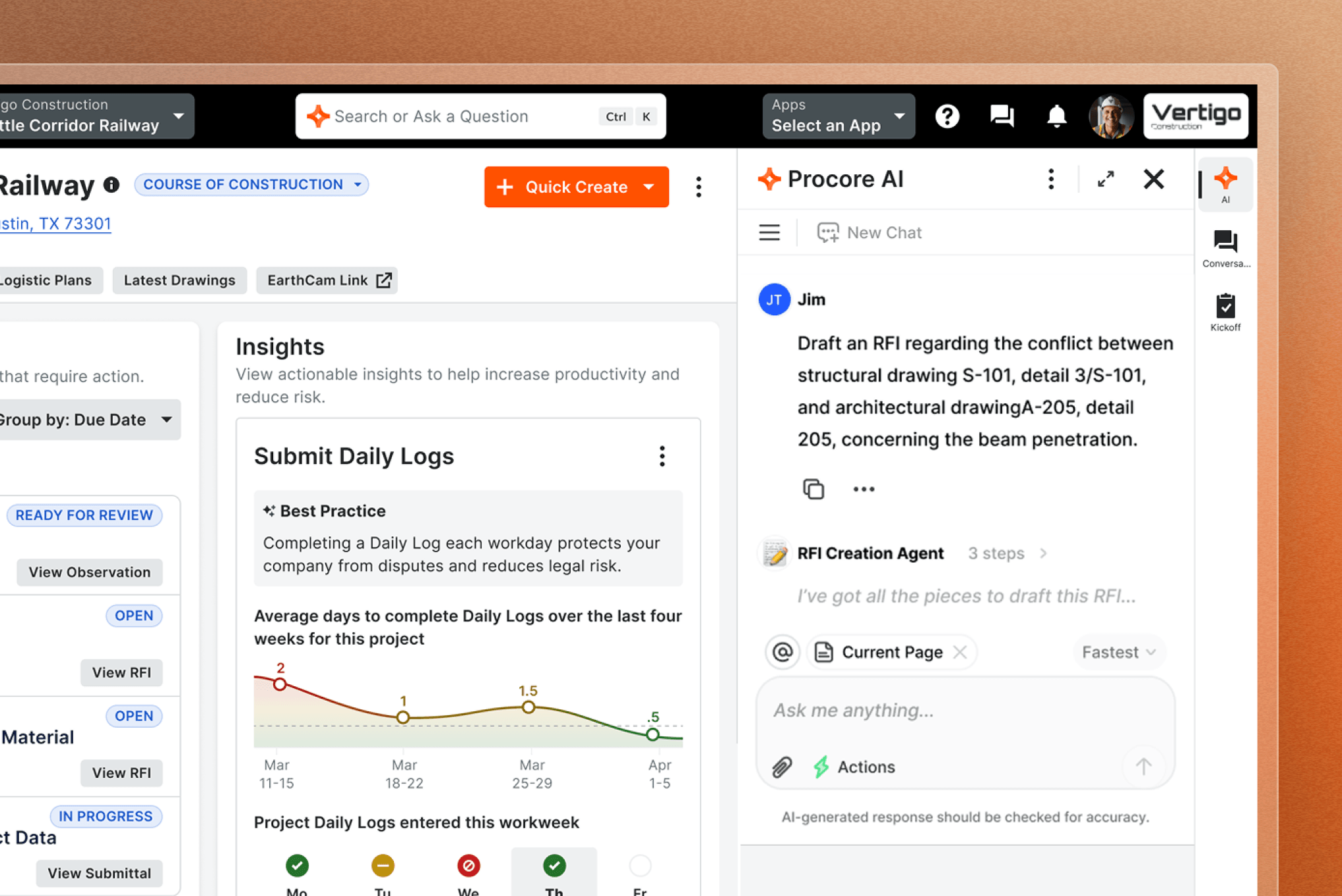
Animation of Procore's Resource Tracking product UI

Construction Resource Tracking Software

Get insights to build better, faster

Protect your labor budget and schedule with decision making that is powered by insights from real-time productivity tracking software.

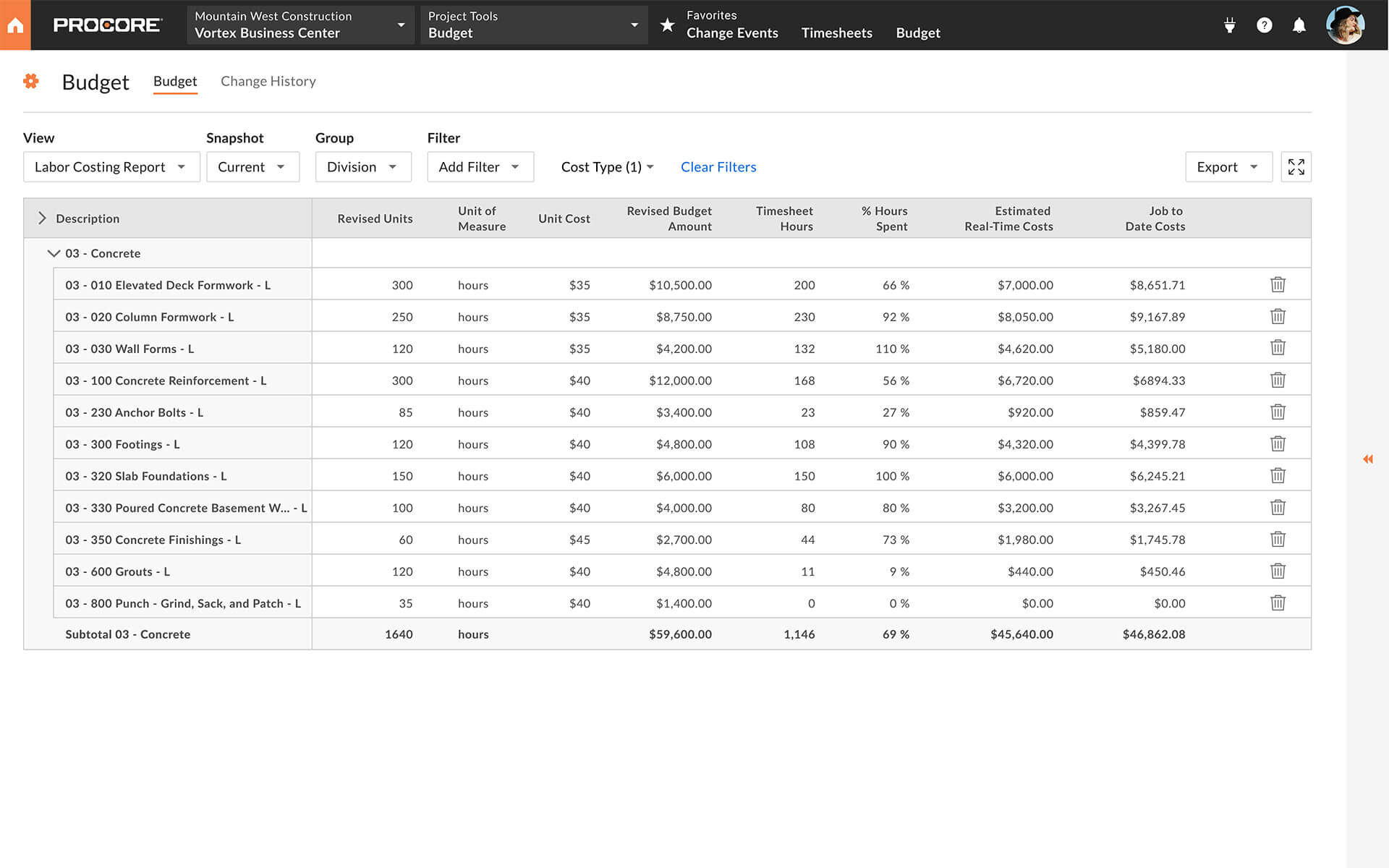
Procore Field Productivity Screen

Documentation

Get paid

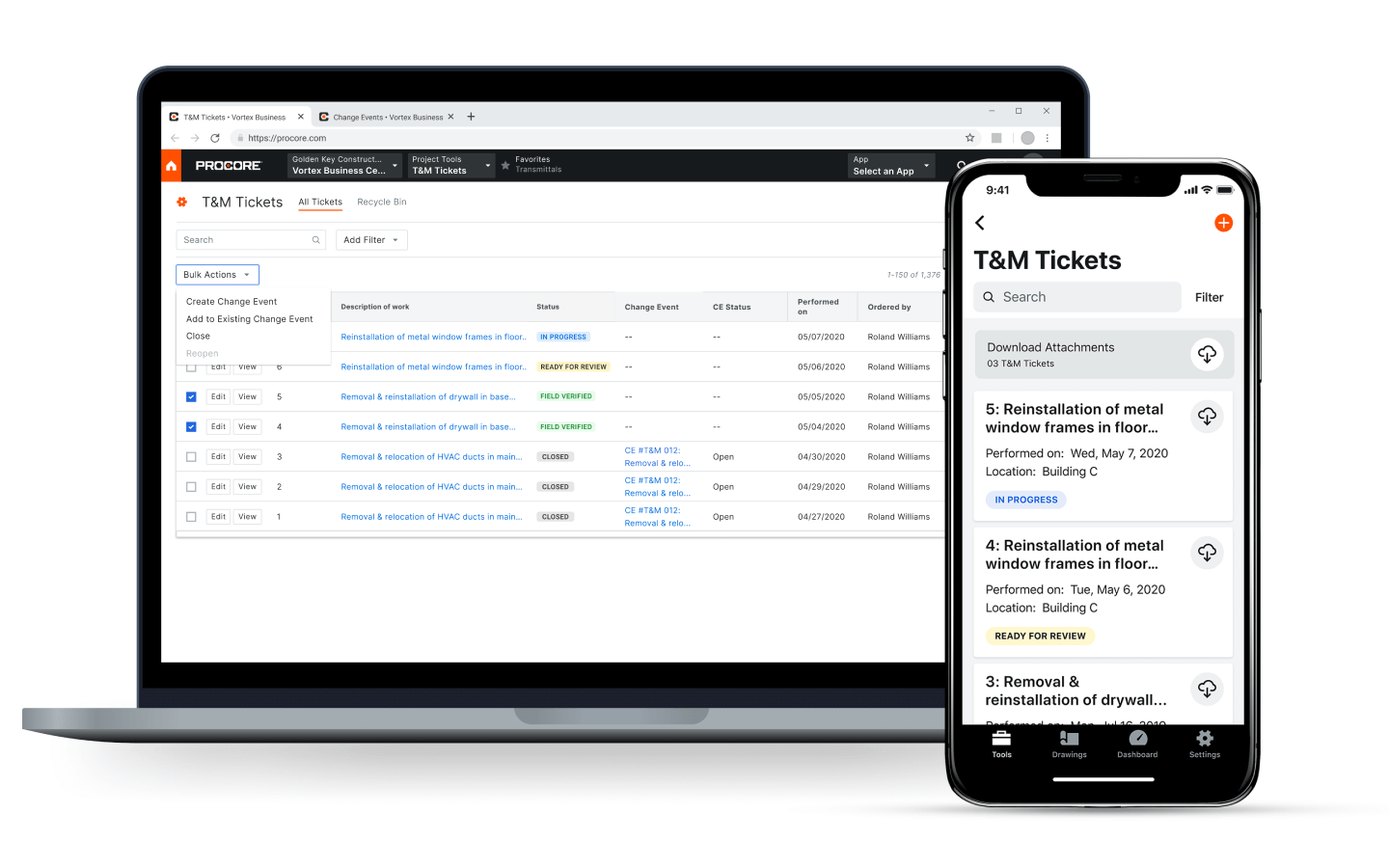
Mitigate risk by capturing, documenting, and tracking out-of-scope work with T&M Tickets. Automatically notify the office team so they can generate a change request and secure payment.

Explore Time & Material Tickets

Field Productivity App screen

Profitability

Protect your margins

Monitor labor costs in real time, identify at-risk scopes of work, and act fast to make decisions that positively impact your project’s budget and profitability.

Procore app screen on mobile device

Productivity

Stay on track

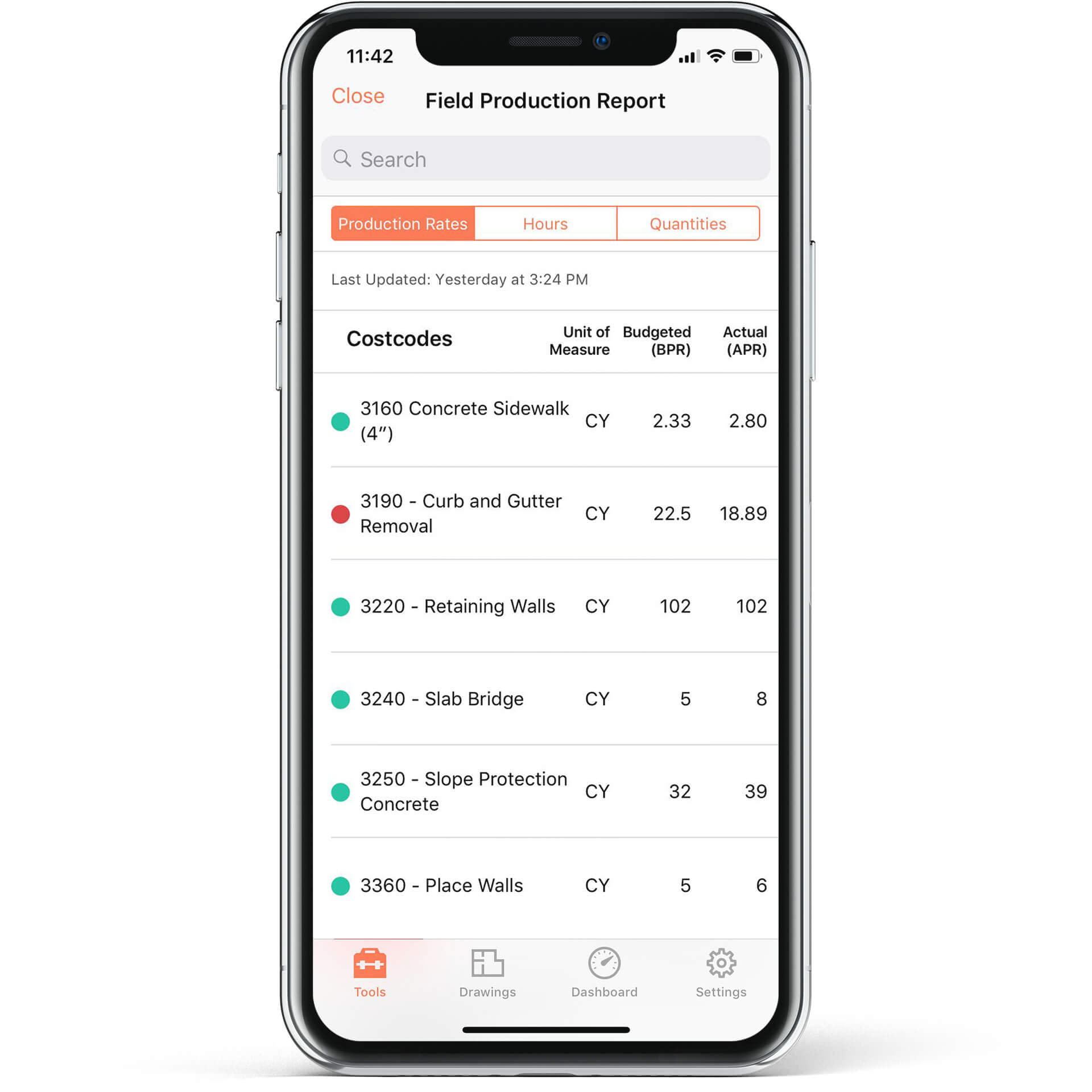
Track quantities of material installed to keep your field teams productive and projects on schedule. Procore automatically turns your data into actionable insights that help you more accurately and competitively bid on future jobs.

Field productivity screenshot

Efficiency

Accelerate payroll

Speed up the collection of time from your field teams by capturing the information your payroll system requires.

I’m able to save 6 different project managers 6 hours per week. I assure you that amount is way over the price I paid for Procore.

Brandon Lopez

Chief Operations Officer - VP of Production

ABLe Communications

Explore our real-time labor productivity tools.

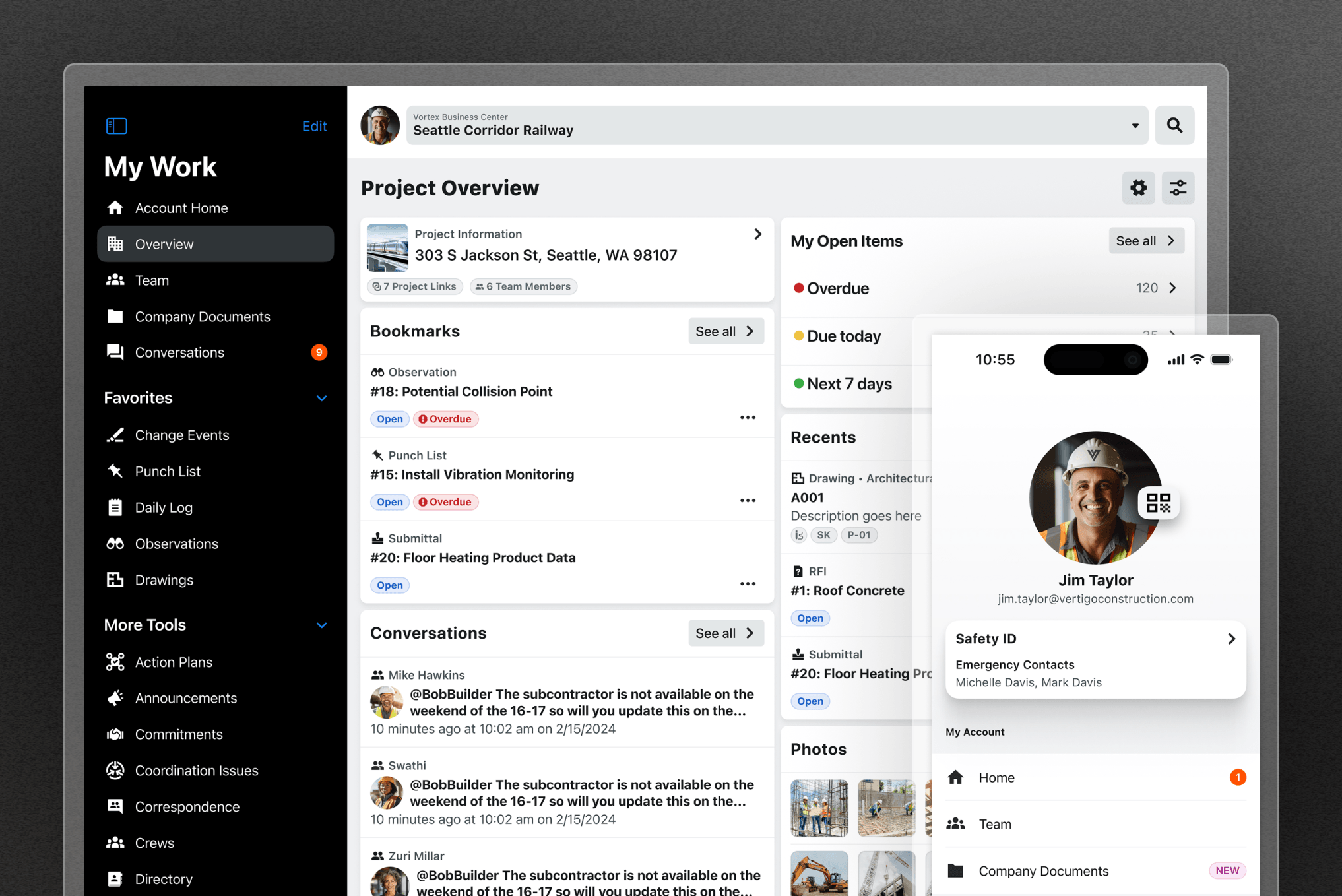
Make your field teams more productive with easy-to-use tools that connect your office and field teams in real time.

Icon for Procore's Directory tool

Directory

Store all contact data for project team members and vendors with customizable permissions, controlling who has access to the directory.

Icon for Procore's Tasks tool

Tasks

Track and manage every coordination-related step in your process.

Icon for Procore's Timesheets tool

Timesheets

Make it simple to track employee and crew time for all construction projects on mobile or desktop, with easy export to payroll.

Icon for Procore's Document Management tool

Document Management

When documents go digital, nothing gets lost.

Icon for Procore's Canned Reports tool

Canned Reports

Insights to help you analyze every detail.

Icon for Procore's Crews tool

Crews

Add, group, and edit crews—with one mobile, flexible tool.

Icon for Procore's Individual Time tool

Individual Time

Enable individuals to clock-in and clock-out with GPS tracking.

Icon for Procore's Productivity Tracking tool

Productivity Tracking

Track labor hours and production quantities against budget.

Icon for Procore's Time & Material Tickets tool

Time & Material Tickets

Document and track out-of-scope work to get paid for everything you do.

Connect everyone and everything on one platform—build better

Work more efficiently, communicate better, and build faster from a single source of truth. See how you can do more on the leading construction management platform.

Explore the Platform

Procore Marketecture Platform diagram

Tap into 500+ integrations and apps you love working with.

If we don't build it, chances are, there's an app or integration for it on our marketplace. So you can work the way you want to, all without ever leaving Procore.

FAQs

Resource Tracking is a measure of onsite execution that enables project teams to track progress against different scopes of work. Also referred to as a production rate, the formula is defined as the total output over the total input. For example, if a scope of work requires 120 cubic yards of concrete (output) to be placed, and it’s estimated the work can be completed with 30 labor hours (input), the production rate required to complete the work on budget and on time is four cubic yards per hour.

Work better, faster.

Get started here.

4.5(2,656)

4.6(41K)

4.6(43K)

4.1(3,100)