Procore Company Logo
Orange hexagon

Construction snag list software

Turn snag lists into actionable tasks

Simplify snag list management by allowing teams to capture, assign, and resolve issues quickly, ensuring quality control and keeping construction projects on track.

Manage snag lists faster with tools built for the site

Streamline snag list management. Create, assign and track items faster, with the flexibility to work online or offline, and maintain complete visibility from start to finish.

Get started

icon_RFI illustrated icon

Manage snag list items

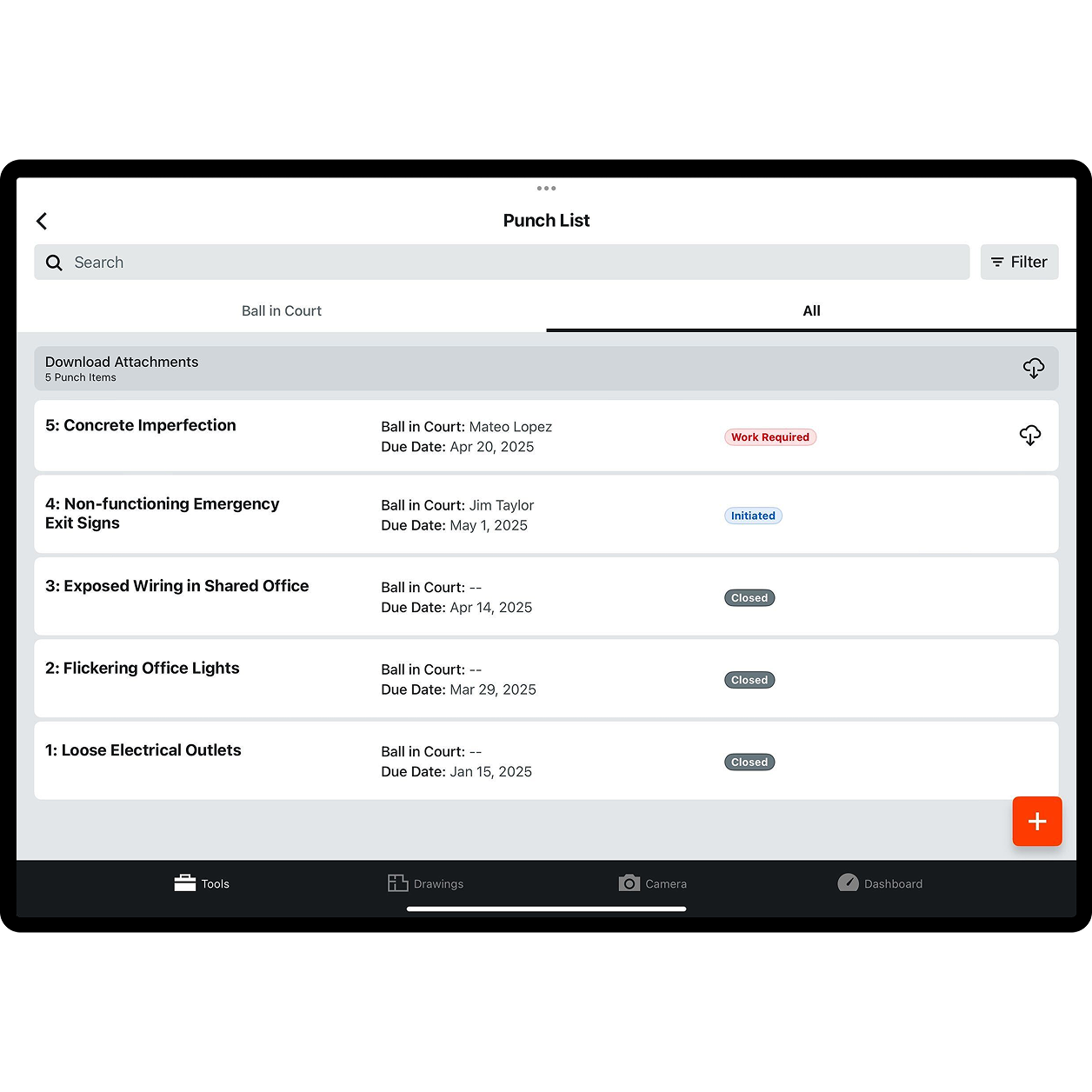
Keep a clear list of all snag items, assign responsibility, select due dates and track the current status for comprehensive oversight.

icon_checklist illustrated icon

Accelerate capturing

Rapidly create snag list items three times faster with Quick Capture. Use QR codes directly from the site, even offline, to start your quick snag process.

icon_tablet illustrated icon

Visualise issues

Point to and drop snag list items directly onto a drawing for clear visual context.

icon_settings illustrated icon

Maintain visibility

Easily filter items by status – unresolved, resolved, open or closed – and track a real-time history of every action, from creation to resolution.

Procore's punch list tool UI on a tablet

Save time

Create snag items in seconds with Quick Capture

Document snag list items faster so nothing slows you down. Speed through snag creation with voice commands and videos, and stay focused on the job. See how you can:

  • Improve clarity and reduce rework by capturing snag list issues instantly with short videos

  • Boost efficiency and work hands-free by assigning snag item titles by speaking aloud

  • Save valuable time and streamline your workflow by accelerating snag creation time with voice-enabled input


Request a demo

A woman contractor walking on an empty building

Detailed documentation

Provide clear context to reduce confusion and errors

Ensure your team always knows what needs to be done – and how. Detailed snag list items give everyone the information they need to take action without delays or mistakes. See how you can drive clarity and accountability, and:

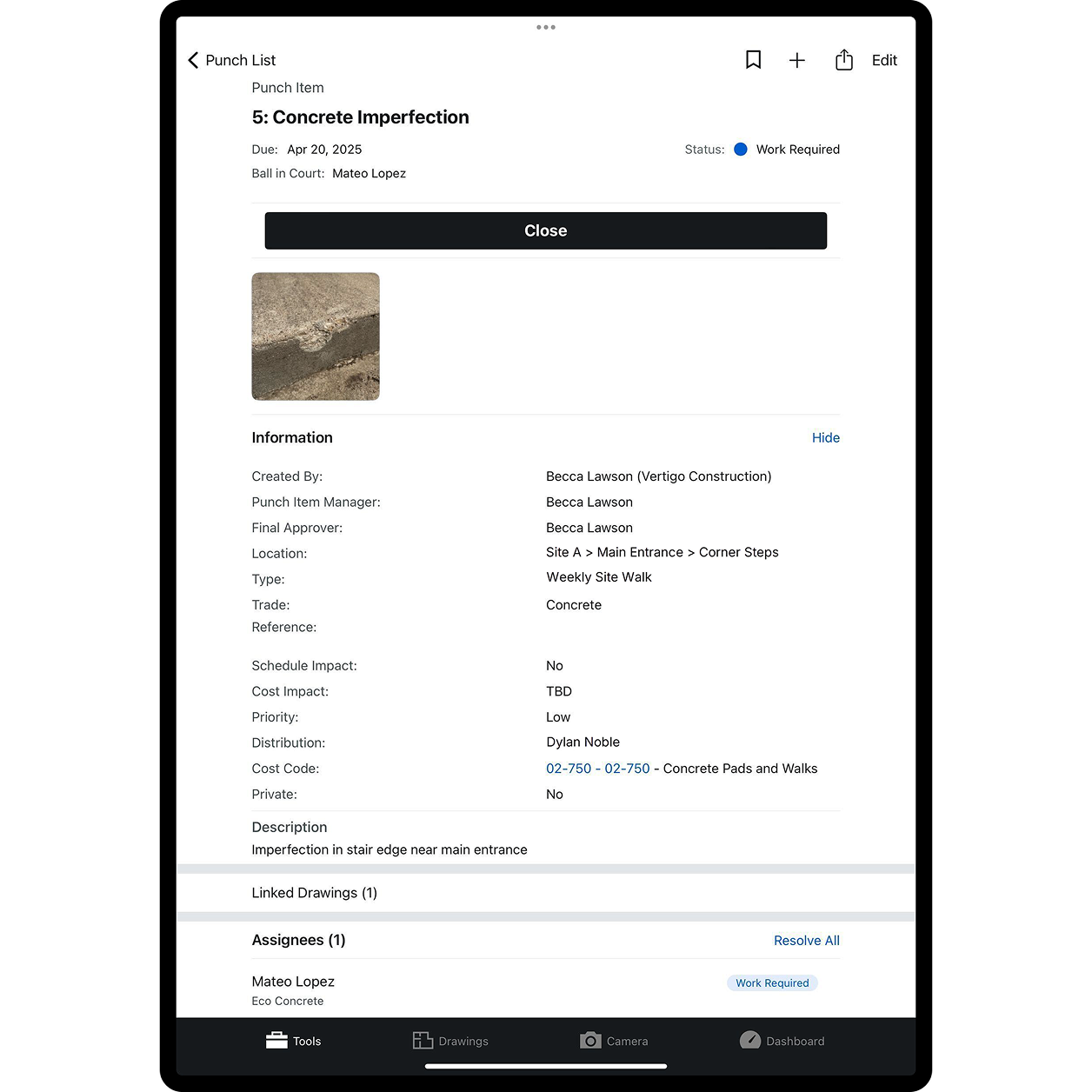
  • Understand issues easily by adding photos and documents

  • Avoid miscommunication by providing clear written descriptions

  • Accelerate resolution by linking cost codes and locations

Two construction workers using a tablet on site

Impact tracking

Protect your programme and budget from unexpected delays

Identify potential risks before they derail your project. You can minimise surprises and keep work moving by tracking programme and cost impacts on snag list items. See how to:

  • Identify potential delays or extra costs by flagging critical items

  • Inform planning by quantifying programme impacts

  • Prevent small issues from becoming costly problems

A contractor using a tablet on site

Jobsite-ready tools

Address issues immediately, right where they happen

Don't wait to get back to the office to manage your snag list. With mobile access, you can handle issues on the spot, speeding resolution and reducing downtime. See how you can keep work moving in real time:

  • Streamline issue resolution by creating and assigning snag items directly from the jobsite

  • Reduce delays by capturing issues as they arise

  • Align teams with immediate updates

Procore's punch list tool UI

Progress tracking

Keep snag list items from slipping through the cracks

Stay on top of deadlines and make sure every snag list item gets resolved. Automated reminders and flexible views help you monitor progress and hand over work faster. See how you can:

  • Stay on track with automatic reminders for overdue items

  • Prioritise work by viewing and filtering items by status

  • Inform stakeholders by sharing clear reports

A woman contractor walking on a construction site

Standardised reporting

Streamline reporting for faster, more consistent results

Save time and reduce errors by standardising your snag list process. Templates help ensure consistency across projects and make reporting easier. See how you can simplify snag list management and:

  • Quickly create common snag list items by using templates

  • Ensure consistent details across all projects

  • Support better decisions by generating reliable reports

Full view of a finished building

Customer Story

Procore Quick Capture took 1/10 of the time to capture items on a snag walk.

Ben Bateman

Okland Construction

Tap into 500+ integrations and apps you love working with

If we don't build it, chances are, there's an app or integration for it on our marketplace. So you can work the way you want to, all without ever leaving Procore.

Explore all integrations

FAQ

Snag lists are lists of discrepancies between what the contract documents call for and what the parties to the contract delivered. Snag lists come into play near the end of the project so people can fix them before the project handover. The items on snag lists usually include incorrect, missing or subpar work completed by contractors and subcontractors. For example, when a contractor installs items that do not match the project specifications, those items become snag list items. Or, when a speciality contractor installs floor tile with gaps between tiles exceeding the specified size, that work can end up on a snag list. Snag list items arise from anything that doesn't comply with the contract documents.

It's common for every party in a construction project to use snag lists. The project snag list usually starts with the owner or the owner's design agents. Main contractors and construction managers use the owner's snag list to make their own snag lists for the subcontractors who work with them. All types of contractors might use snag lists to manage quality as they work on their portions of the project. Snag lists are a powerful quality control tool because contractors usually must clear up the snag list items before they can get paid.

Procore’s Snag List software helps contractors keep a descriptive, accurate and up-to-date list of work discrepancies. The software also provides tools to assign responsibility for correcting snag list items and due dates and tracking the status of active snag list items. Contractors can create snag list items directly on-site where the discrepancies occur. Users can sort snag list items by status and maintain a real-time history of actions related to each snag list item. Procore's snag list software makes managing snag list items quick, comprehensive and accurate.

A benefit of Procore's snag list software is that it can use a QR code to begin the process. This code, assigned to each snag list item, ensures every action related to the item is recorded and recorded accurately. Users can also drag and drop snag list items directly onto a digital drawing, removing doubts about the item's location. When users create snag list items, they can copy and paste from RFIs or specifications, so the requirements for correcting the discrepancy are clear. They can also include photos and details about how the snag list item impacts cost and programmes.

The Procore Snag List tool follows industry standards for document creation, saving, editing and filing. Users can create templates to speed up the snag list process to reduce rekeying and errors.

Yes. Procore integrates with apps for accounting, bidding, estimating, takeoff, progress documentation, resource management, scheduling, analytics, BIM, consultants, devices, drones, site communications, quality, safety and more. It is built to integrate with other platforms, so you don't have to juggle apps while juggling your project. Everything is in one place, accessible anywhere, and with endless ability to connect.

Get started now

If you can send an email, you can use Procore. Streamlined construction is really that simple.

4.5(2,656)

4.6(43K)

4.1(3,100)

4.6(41K)