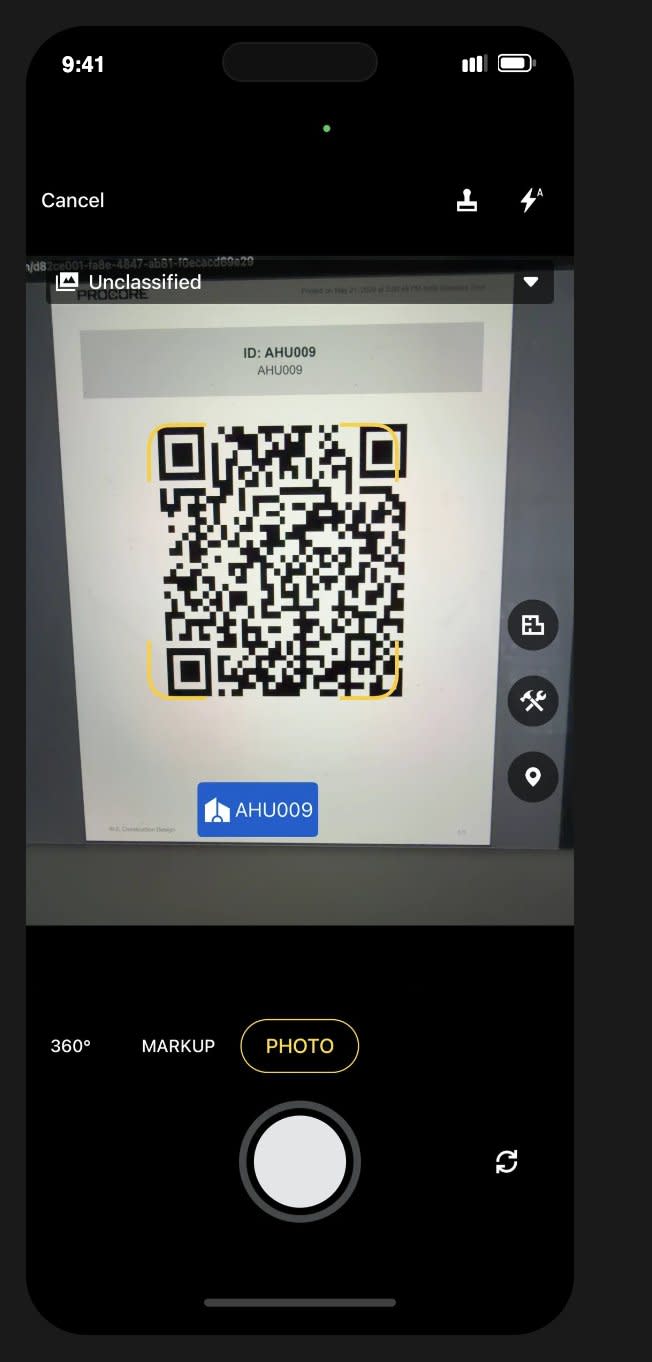
Beta beginning June 22. You can now scan an Asset's QR code right from the Procore mobile app to pull up its details on the spot. Point your phone's camera at the code using the app's scanner, and the Asset's information opens immediately — no searching, no switching to your computer. It works on both iOS and Android, and it respects your existing project permissions, so you only see the Assets you already have access to. This is for field teams who work with Assets on-site — anyone running inspections, commissioning, or handover, plus the crews verifying equipment in the field.
Today, checking an Asset's details from the field means stopping to switch over to the web app — a hassle when you're standing in front of the actual equipment. That gap between the physical Asset and its digital record slows down inspections, verification, commissioning, and handover. Scanning the QR code closes that gap: you connect the thing in front of you to its trusted record in seconds, so the work keeps moving and your Asset history stays accurate through the whole project lifecycle. To get started, enable the Company and Project-level Asset Register Open Beta in Procore Explore. Then, open the Procore mobile app, use the camera scanner, and point it at an Asset's QR code. The Asset's details open right in the app. You'll see the same Assets your project permissions already allow.