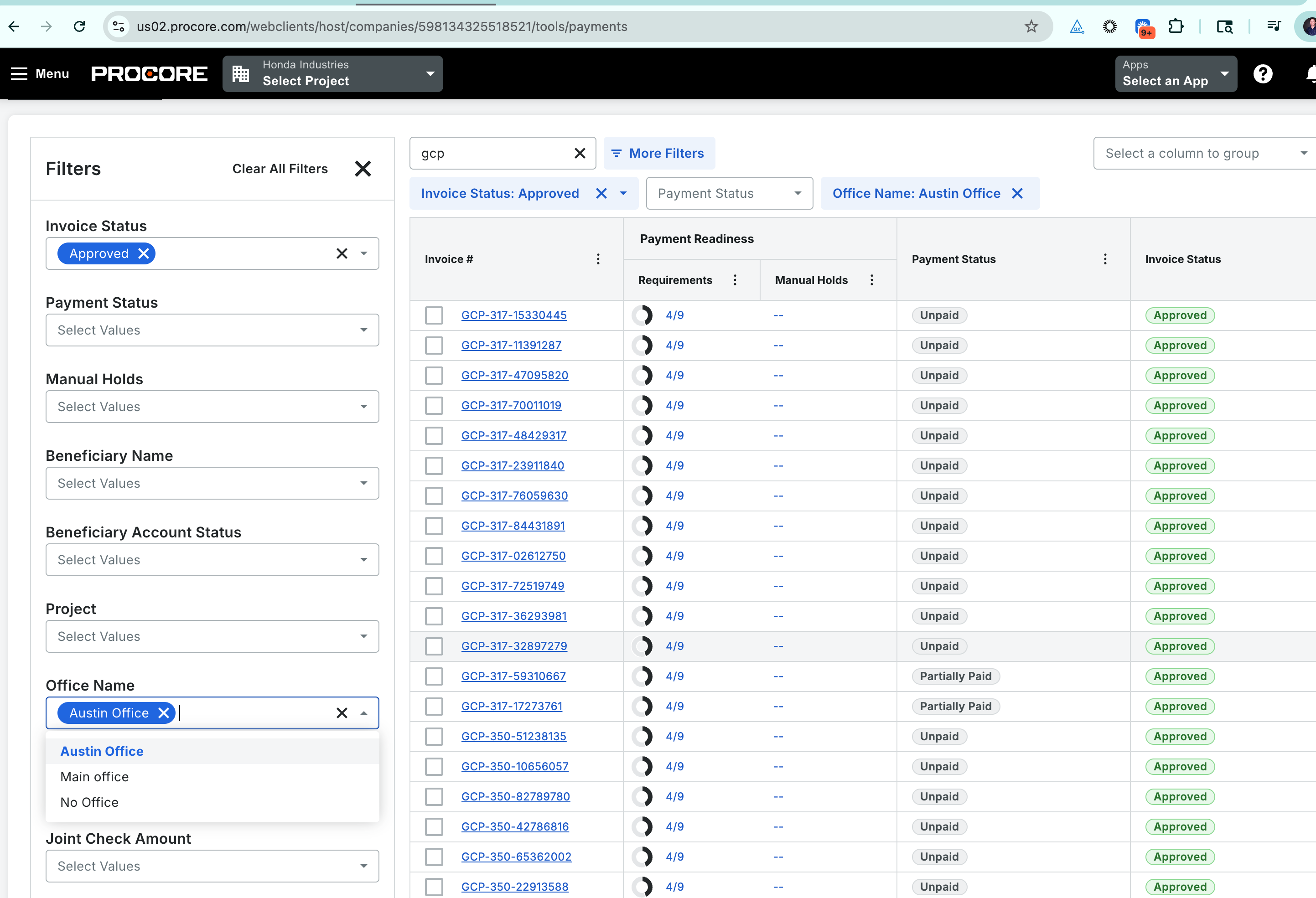
Launching April 21st. Procore Pay’s Sub Invoices / Payment dashboard now supports Office-based filtering and visibility, making it easier for Payment Admins and Disbursers to manage disbursements across multiple business entities. With this update, users can add an Office column (Office Name) to the dashboard and filter invoices by one or more Offices. Any changes to Office Names are automatically reflected for all associated invoices, ensuring up-to-date information.
This enhancement is especially valuable for larger general contractors who use Procore “Offices” to represent separate business entities and funding accounts. By surfacing Office information and enabling targeted filtering, teams can confidently select the correct invoices for disbursement, reduce the risk of drawing from the wrong account, and ensure that approvals are routed to the appropriate Office-specific Controllers and General Managers. This update aligns the Pay workflow with how complex organizations structure their operations, streamlining financial management and reducing errors.