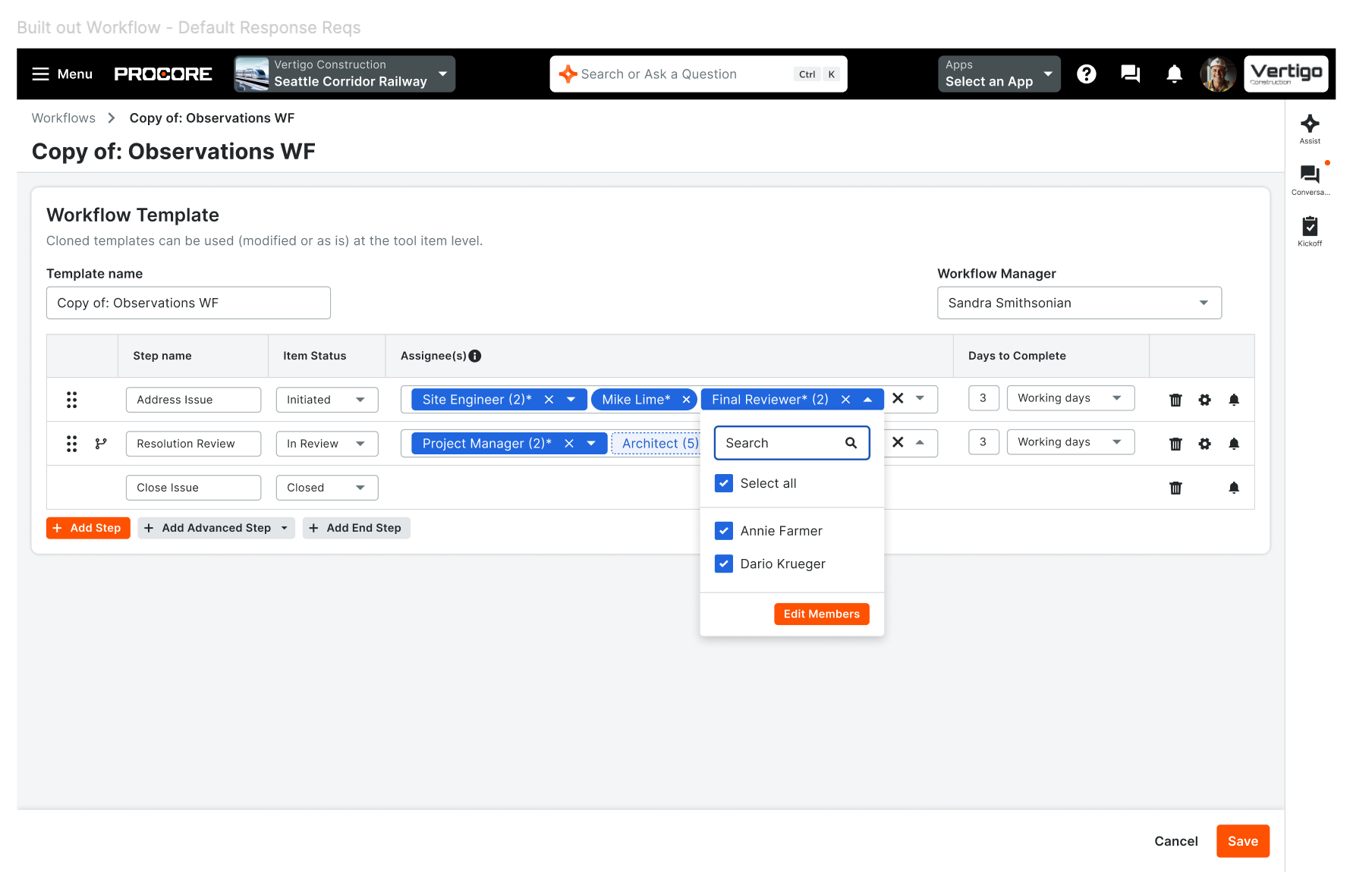
What it is: Three new step-level assignee actions for Linear and Diagram workflows on web: add an individual to a step, remove an assignee, or ignore a role member without removing them from the role. Available when configuring templates and on active, in-flight workflows. The assignee picker only shows people who qualify for the step’s project role, and new role members are automatically added to upcoming steps. Who it's for: Workflow managers and admins at general contractors, specialty contractors, owners, and design firms who keep approvals moving as project teams change.
Why it matters: Teams change mid-project. Now you can add someone who joins late, skip an assignee who’s out, or remove a mistaken assignee on a single step—without editing templates or working around the audit trail. Notifications, step progression, and workflow history stay accurate. How to get started: Rolling out to all customers on web in September 2026. Open a workflow template or an active workflow’s assignee panel to use the new actions—your existing Manage Assignees permission applies; no new setup required.
Available September 15, 2026.