What it is:
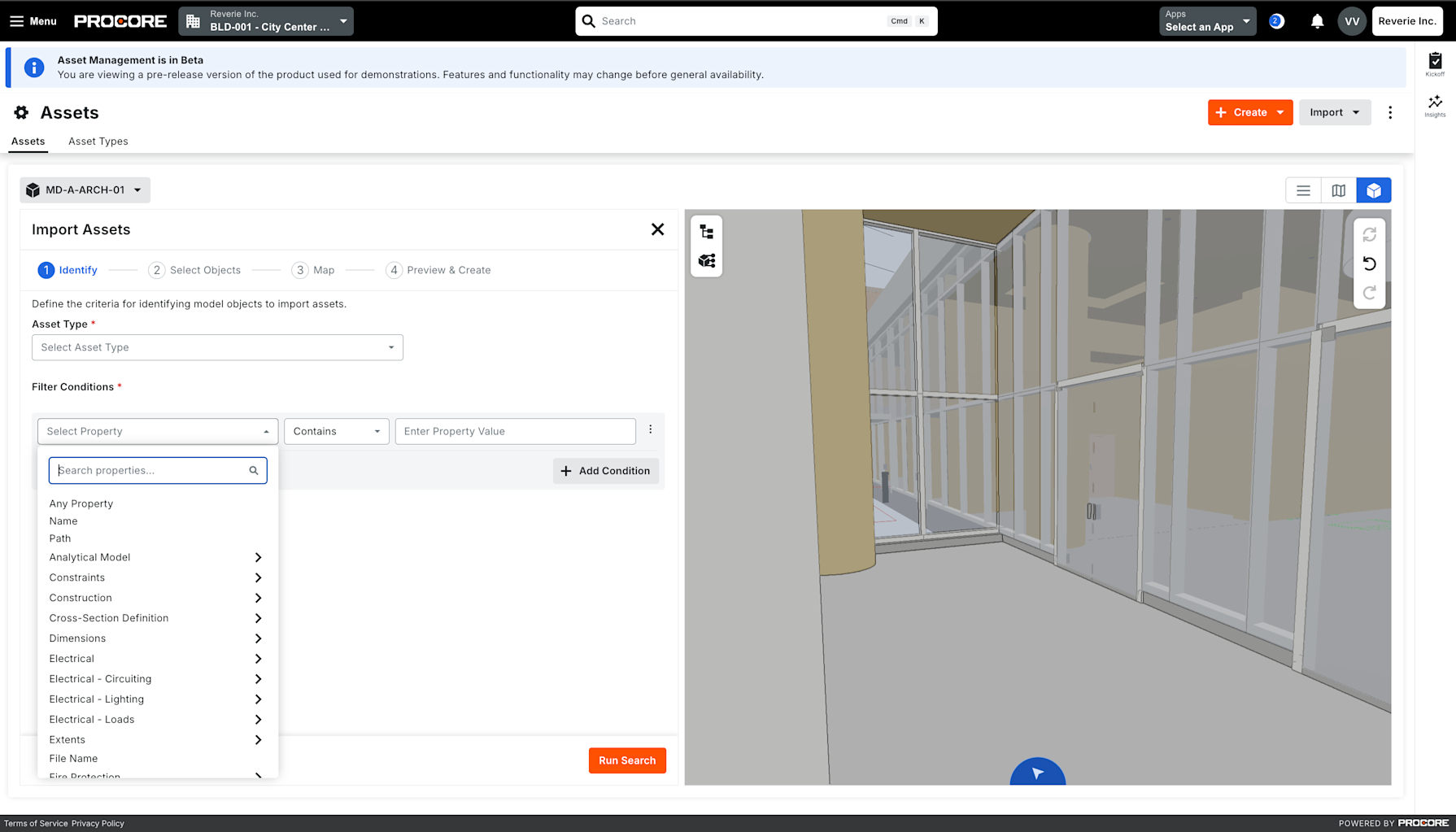
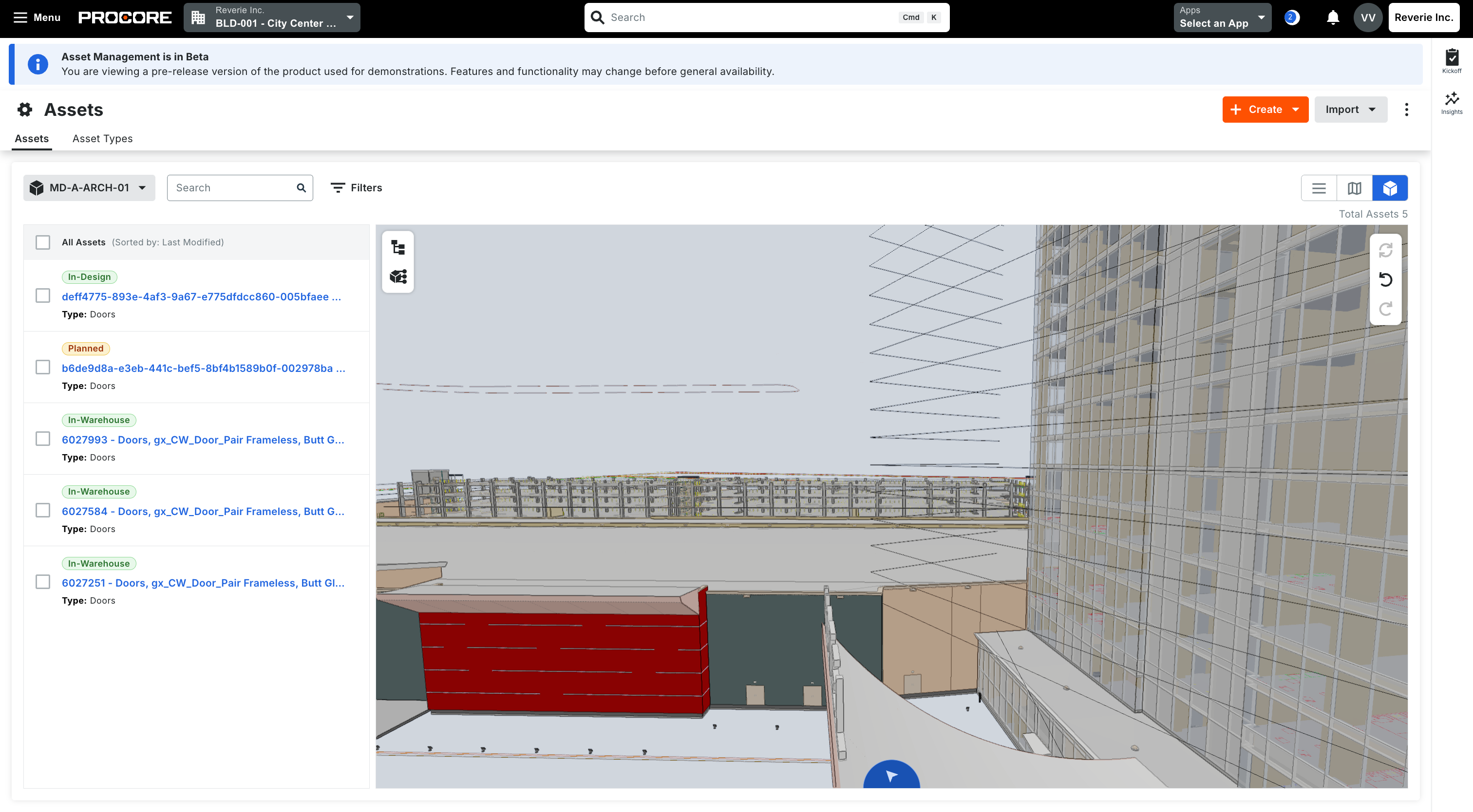
Assets–BIM Integration(Now generally available in all regions): Extract fixed assets from BIM model files, such as .rvt and .ifc, into the Asset Register in four steps. Search model objects by property, select them, map properties to asset type fields, then preview and import. Each asset links to its model object, so you can find it in the embedded 3D viewer.
Models tab: A project-level list of the models used to extract and link assets. Add models from Document Management or Documents, and see each model’s version, linked assets, who added it and when it was last used. BIM view now lists only the models added here.
Who it’s for: Asset managers, BIM teams and project teams preparing owner handover and asset data from BIM models.
Why it matters: Creating asset records from model objects by hand was slow and error-prone, and models sat among hundreds of unrelated files. Now the register builds directly from the model, and the models behind it sit in one list.
How to get started: Upload a 3D model to Document Management or Documents and wait for it to process. In the project-level Assets tool settings, open the Models tab and select Add Model. Then start extraction from BIM view, using the views toggle or Import > Import from BIM.