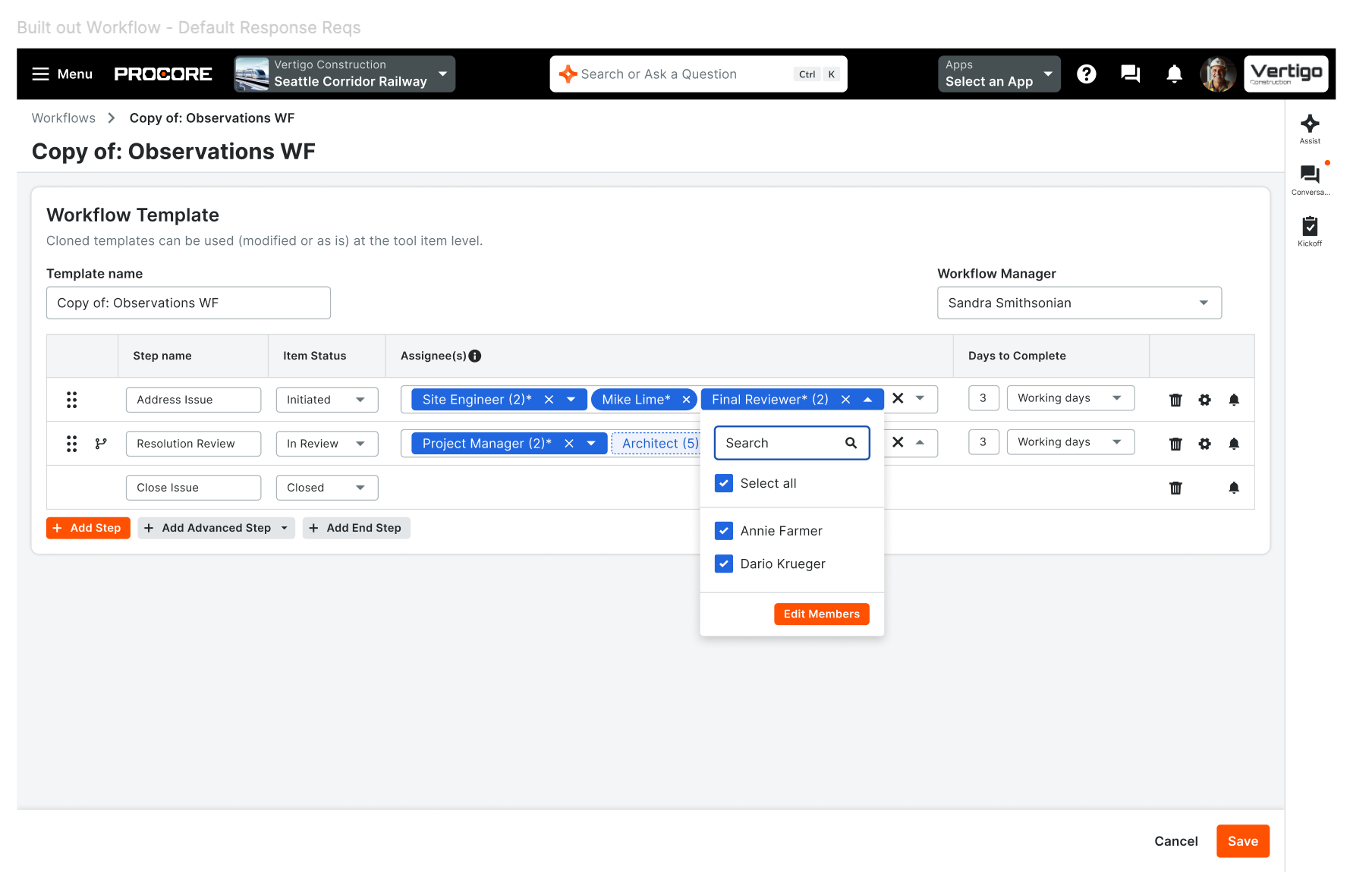
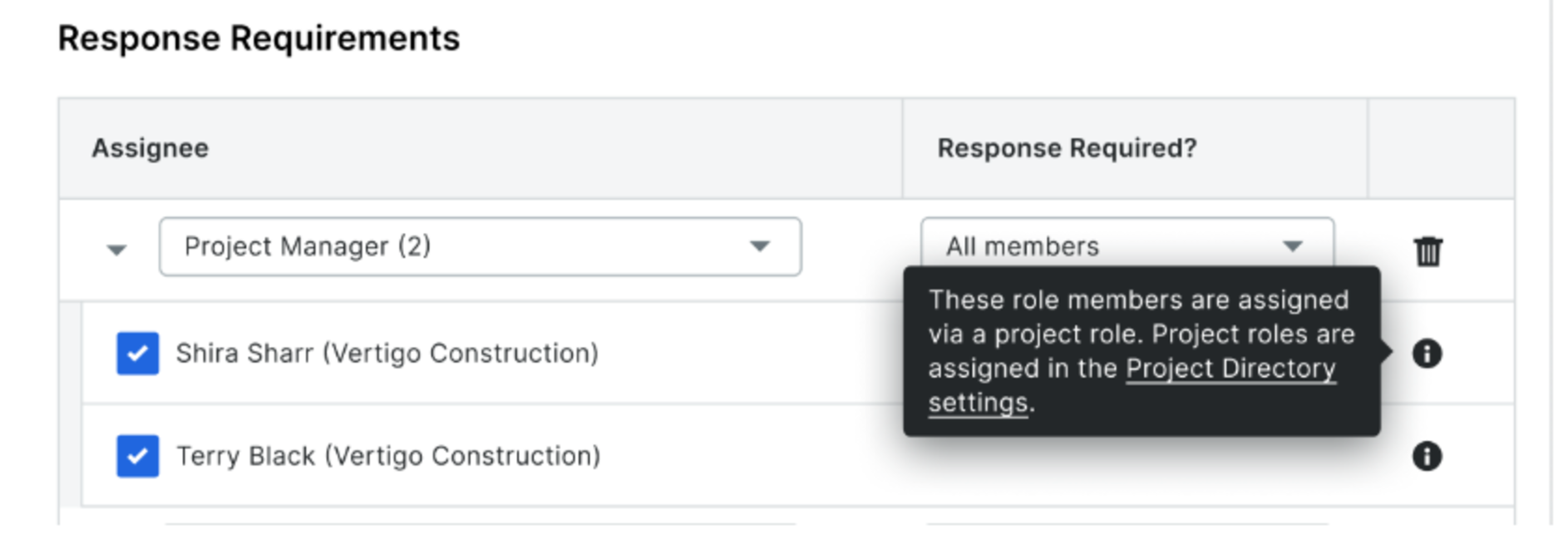
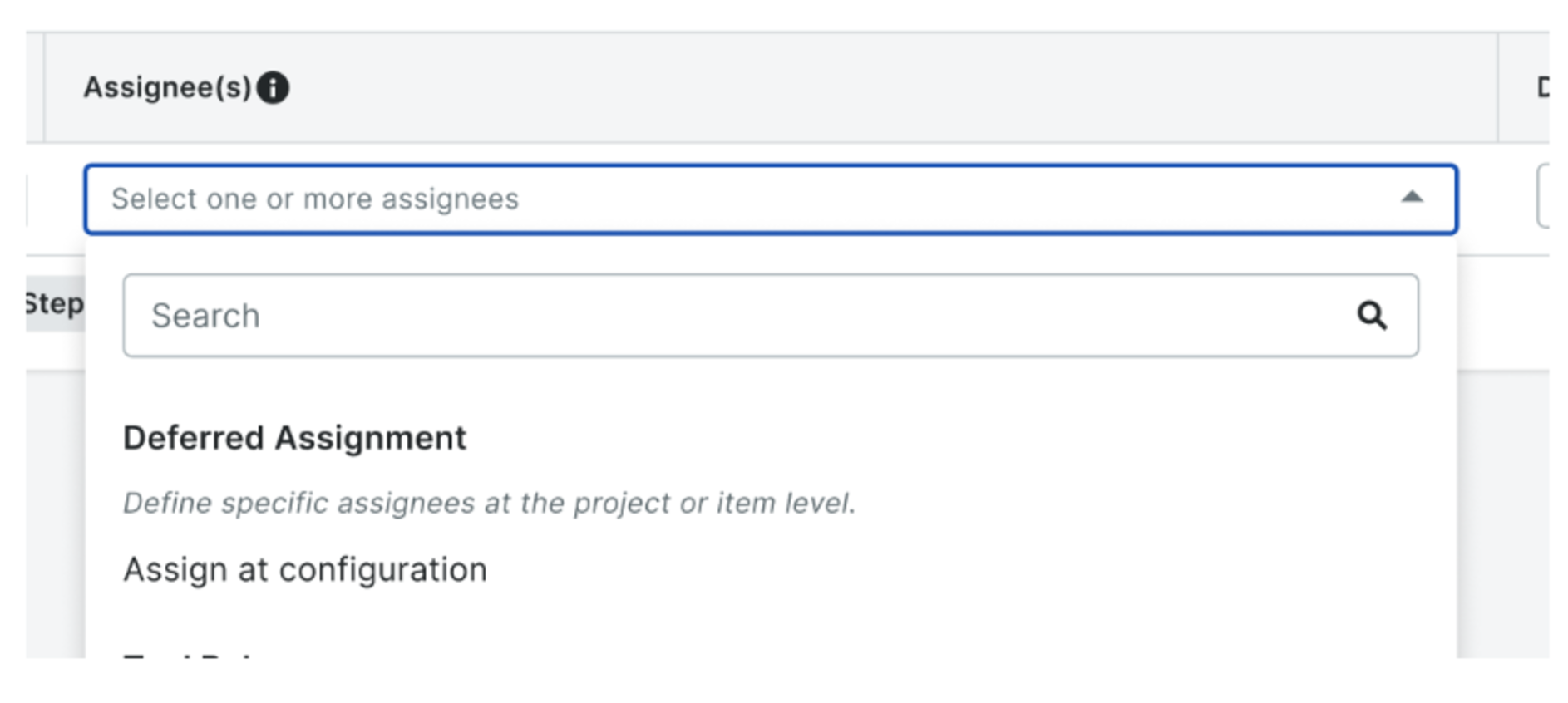
What it is Two upgrades that give teams finer control over who does what in a workflow — and who can fix it when things change. New step-level assignee actions are now available on both Linear and Diagram workflows, at template setup and on active, in-flight workflows. You can add a specific individual to a step, remove an assignee entirely, or ignore an assignee on a single step without removing them from their role — a non-destructive skip that keeps notifications, step progression and open items accurate. The assignee picker is narrowed to people who actually qualify for the step's project role, and when someone new joins a project role, they're automatically added to upcoming steps on active workflows. For Linear workflows on tools with item-level configuration enabled, a new Deferred Assignment option lets you author a template step without a fixed assignee and choose the right people later at the project or item level.
Alongside this, two new granular permissions let administrators grant workflow lifecycle controls independently: Return to a Prior Step and Restart a Workflow. Both were previously locked to the Workflow Manager role — that role keeps both capabilities, but admins can now grant either one on its own.

Who it is for Workflow administrators and workflow managers who build and maintain templates, and project teams running approvals through Linear or Diagram workflows. The granular permissions are especially useful for organizations that want to delegate corrections without over-provisioning full Workflow Manager access.
Why it matters Real projects don't stand still, and workflows shouldn't stall when they change. Someone joins mid-project and needs to be added to upcoming steps. A step owner goes on leave and needs to be skipped — without losing the record of their role. A step gets approved prematurely and needs to go back. Until now, teams worked around these moments by editing templates (which affects future projects, not the active one), routing reviews through comments, or waiting on a Workflow Manager to intervene — all of which slow the work and muddy the audit trail.
These changes give teams precise, per-step control instead. Every add, remove, ignore and deferred-assignment resolution is captured in workflow history with who did it, when, and on which step, so your audit trail stays intact. And because admins can grant exactly the permission a user needs — no more, no less — corrections happen faster while access stays right-sized. How to get started Open a workflow template or an active workflow and use the step's assignee panel to add an individual, remove an assignee, or check/uncheck someone for that step. When authoring a Linear workflow template on a tool with item-level workflows enabled, choose the deferred assignment option to leave a step's assignee open, then resolve it at the project or item level before the workflow runs. Administrators can grant the new Return to a Prior Step and Restart a Workflow permissions from workflow permission settings — no new roles required, and existing Workflow Managers keep both capabilities automatically.
Available September 15, 2026.