What is a Common Data Environment (CDE)?

Last Updated Aug 30, 2026
Josh Krissansen
122 articles
Josh Krissansen is a freelance writer with two years of experience contributing to Procore's educational library. He specialises in transforming complex construction concepts into clear, actionable insights for professionals in the industry.

A common data environment is the single, governed source of project information that construction teams work from, replacing scattered emails, drives, and disconnected file versions.
On a live project, it is the system that decides which drawing is current, who approved a variation, and what the record shows when a dispute arises.
In this guide, we cover what a CDE is, how it works under ISO 19650, and how to implement and govern one so that you can get real delivery value from it rather than just a compliance tick.
Table of contents
What is a common data environment?
A common data environment is a centralised digital platform where project information (both graphical and non-graphical) is collected, managed, and shared through a controlled, structured process. A CDE holds:
- Drawings
- Models
- Schedules
A CDE is not just cloud storage, though. A shared drive stores files, but a CDE has controls for managing which file is current, who has permission to see it, and what happened to it before it reached that state.
That distinction matters on site. When a subcontractor pulls a drawing from a shared drive, nothing stops them opening a superseded version sitting one folder over. A CDE removes that possibility through its approval gates, so the version available to a given role is the version that role is authorised to build from.
Procore, Autodesk Construction Cloud, and Aconex are examples of platforms built to function as a CDE, each with the approval gates and access controls a shared drive doesn't have.
ISO 19650 defines a CDE as the agreed source of information for a project or asset, managed through a governed process rather than an open file share. Where a project's BIM execution plan or contract references ISO 19650, this is the definition the CDE is being measured against.
How a CDE works: the four information states
ISO 19650 structures a CDE around four information states, and a project's status at any point determines what a team is allowed to do with it.
Work in progress
Information in the work in progress state has been developed by a single discipline or task team. It has not been checked or coordinated with other disciplines, so it stays invisible to the rest of the project until it passes internal review.
Shared
Information in the shared state has been released for cross-discipline coordination. This is where clash detection and design coordination happen, with each discipline working against what others have produced rather than in isolation.
Published
The published state holds the authorised, contractual version of information. Construction and procurement activities are meant to draw only from information at this stage, since it represents what has been formally approved for use.
Archived
The archived state holds superseded information, retained as a read-only record. It is not deleted because it supports audits, disputes, and the as-built history of the project.
Gates between each state prevent information from moving to the next state until the required review or approval has occurred, which stops unapproved or uncoordinated material reaching site. Without these gates, a document could be shared or acted on before it was ready, and the CDE would offer no more protection than a shared drive.
CDE and BIM: how they relate
BIM is the process of creating and coordinating digital models and data.
It produces the model, but what happens to that model once it exists, who can see it, what state it is in, and how it gets from one discipline to the next, is governed by the CDE.
The two work together, but they are not the same thing: BIM is the modelling process, and the CDE is the infrastructure that process runs on.
A CDE doesn’t solely exist to serve BIM, however.
A non-BIM project still generates contracts, RFIs, drawings, and reports, and all of that documentation moves through the same work in progress, shared, published, and archived states. The governance a CDE provides is about controlling information, not about controlling models specifically, so a project without a single 3D model still needs it.
On a BIM project, the metadata and naming conventions that make files findable and traceable get defined in the BIM execution plan, because a model is only useful if every discipline can locate the right file inside it as the project scales.
Skip that step and the problem the CDE was meant to solve reappears in a different form: instead of ten versions of a drawing on a shared drive, there are ten inconsistently named files inside the CDE itself.
Key features of an effective CDE
These features separate a governed CDE from a folder structure with extra permissions:
Centralised storage:
One source of truth for all project participants, removing the guesswork over which version is current
Version control:
Tracked revisions with clear status, so project teams always know whether a document is work in progress, shared, or published
Role-based access:
Permissions that match each stakeholder's contractual role, protecting sensitive information while giving people what they need without manual requests
Audit trail:
A timestamped record of every upload, edit, and approval, which becomes critical evidence in a variation, delay, or defects dispute
Workflow automation:
Routing of RFIs, submittals, and approvals to the right people, with reminders and status tracking built in
Integration:
The ability to connect with BIM authoring tools, project management platforms, and other software so data does not need to be manually re-entered
Mobile and site access:
Site teams need to pull current drawings and log site information from a device on site, not just from an office terminal
Why a CDE matters for delivery teams
Used correctly, a CDE creates changes at every stage of delivery, from how disputes get resolved to what the client walks away with at completion.
Fewer disputes over which version is correct
Disputes over document version come from two parties working off different versions and each believing theirs is current, and a CDE removes that ambiguity by making the published state the only version anyone is authorised to act on.
Reduced rework
A CDE removes the conditions that cause rework from outdated documents: a crew working from the CDE can only access the published version, so there is no superseded drawing sitting available to be picked up by mistake.
Faster decisions on site
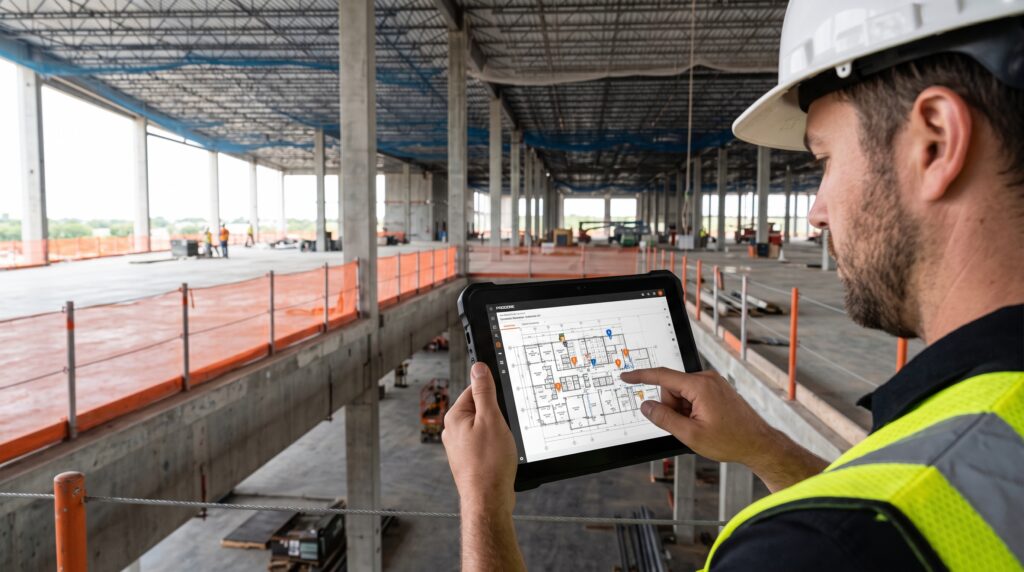
Real-time access means project teams are not waiting on an email reply or a trip back to the office to confirm a detail. A supervisor who can check the current published drawing from a tablet on site, for example, can resolve a query in minutes without waiting on a response from the office team.
Stronger evidentiary record
In a dispute over an instruction, approval, or delay, the CDE's audit trail is often the clearest objective record either party can produce.
AS 4000 ties entitlement to timely, evidenced notices, so a contractor relying on clause 41 to notify a claim needs to show exactly when that notice was given and what it contained.
Where email chains are incomplete or contested, a timestamped record of who uploaded, approved, or accessed a document carries more weight than recollection.
Better handover and asset information
A CDE that has been maintained properly through delivery gives the client a complete, structured record at completion, rather than a scramble to assemble one.
Facilities managers inherit a project's documentation the moment practical completion is certified, and a CDE that has been governed throughout delivery hands that record over intact instead of forcing a retrospective rebuild.
Implementing and governing a CDE
Naming conventions, folder structure, document control rules, and metadata fields have to exist before a single file is uploaded, or the CDE ends up storing the same inconsistent files it was meant to organise.
Here’s how to get set up with a CDE and avoid that common mistake:
1. Define information requirements and standards before platform selection
Naming conventions, folder structure, and metadata fields need to be agreed before files start moving. Choosing a platform first and working out these standards afterwards means retrofitting structure onto files that are already inconsistent.
2. Select a platform against project needs
Weigh integration with existing authoring tools, mobile access for site teams, and scalability across project phases. A platform chosen on price or brand recognition alone tends to fail one of these three requirements once the project is underway.
3. Pilot before scaling
Test workflows on a single project or discipline, gather feedback, and refine before rolling out more broadly. Rolling out to every discipline on day one means any workflow problem gets multiplied across the whole project instead of caught and fixed on one team first.
4. Appoint an information manager
Someone needs clear ownership of the CDE's structure, permissions, and ongoing governance. Without a named owner, no one is accountable when naming conventions slip or permissions fall out of date, and the system drifts back into the disorganisation it was meant to solve.
5. Train by role
A document controller, a site supervisor, and a project manager each need different things from the CDE. Generic training that covers the platform in general terms leaves each of them unclear on the specific workflow their role actually requires, which leads to poor adoption.
6. Treat governance as ongoing
Periodic audits and clear accountability keep a CDE useful long after initial rollout. A CDE that is set up correctly and then left unmanaged decays into an oversized file dump within a year, which defeats the purpose of setting it up in the first place.
A common data environment turns project information into a governed, single source of truth
A CDE replaces scattered emails, drives, and disconnected file versions with a structured process built around defined information states, approval gates, and clear ownership. Implemented and governed correctly, it reduces disputes, cuts rework, and gives delivery teams and clients alike a record they can actually rely on.
Categories:
Written by
Josh Krissansen
122 articles
Josh Krissansen is a freelance writer with two years of experience contributing to Procore's educational library. He specialises in transforming complex construction concepts into clear, actionable insights for professionals in the industry.
View profileExplore more helpful resources

Scaling with SIERA: Building for now and what comes next
SIERA Founder and Director Brent Thompson has always known that the right people, systems and hands-on approach are fundamental to scaling his business successfully. In Part 1, Brent and Head...
Getting Your Construction Data Ready for AI – What Every Business Needs to Consider Before Launching AI
This is the first of two articles. This part sets out the considerations: what clean and trusted data actually means, how to measure it, how the two systems most businesses...

The Contractor’s Guide to Concrete Inspections
Concrete: It’s the key building block of nearly every structure’s foundation — and it’s the world’s most widely used building material. For most head contractors, understanding how to assess concrete...

Computer-Aided Design (CAD): What It Is — and Why It’s Important
When most people envision a construction worker, they see a person at a construction site wearing a hard hat and a high-vis vest. Perhaps this person is putting up plasterboard,...