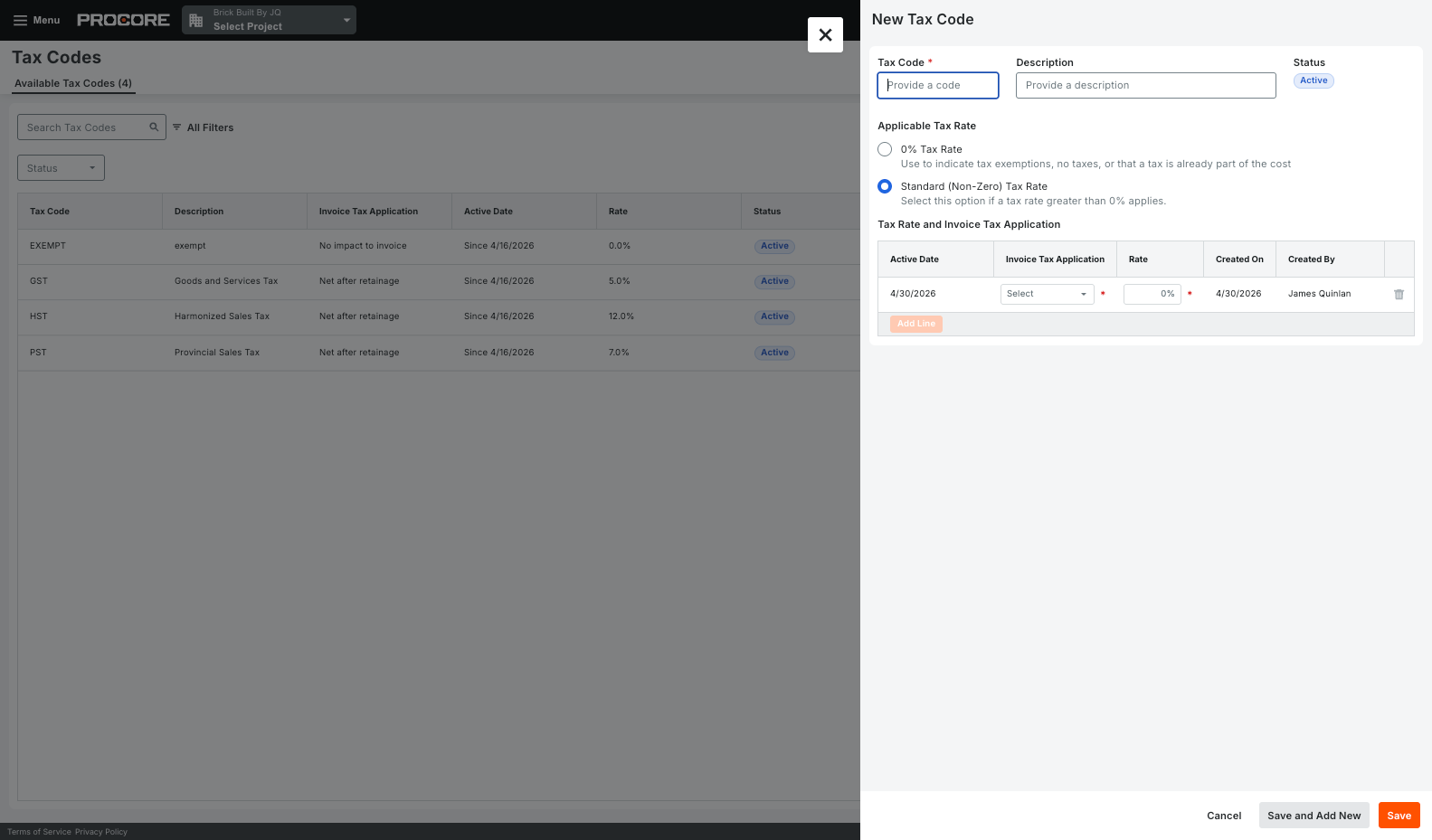
What it is A new Tax experience for tracking, calculating, and storing tax across Procore Financials. Company admins can centrally manage tax codes with effective dates, group multiple codes on a single line item, and control whether tax calculates before or after retainage. Project admins can toggle tax by project or by financial object and set default tax codes, and tax now appears directly on schedules of values, invoices, and PDF exports. Tax codes, rates, and amounts can also sync with supported ERPs, starting with Sage 300. Who it's for Finance teams, project accountants, and company admins who manage tax across contracts, change orders, and invoices — especially businesses operating in regions with multiple or layered tax requirements.
Why it matters Until now, tax liability was only visible on the invoice PDF, and Procore couldn't handle requirements like multiple tax codes on one line item or tax calculated on the gross amount before retainage. With tax calculated and stored at the line-item level, teams get accurate, auditable tax data across their financials without spreadsheet workarounds.
How to get started Available now as an open beta. Opt in through Procore Explore, then set up tax codes under your company Financials settings.
Beta beginning September 1, 2026.