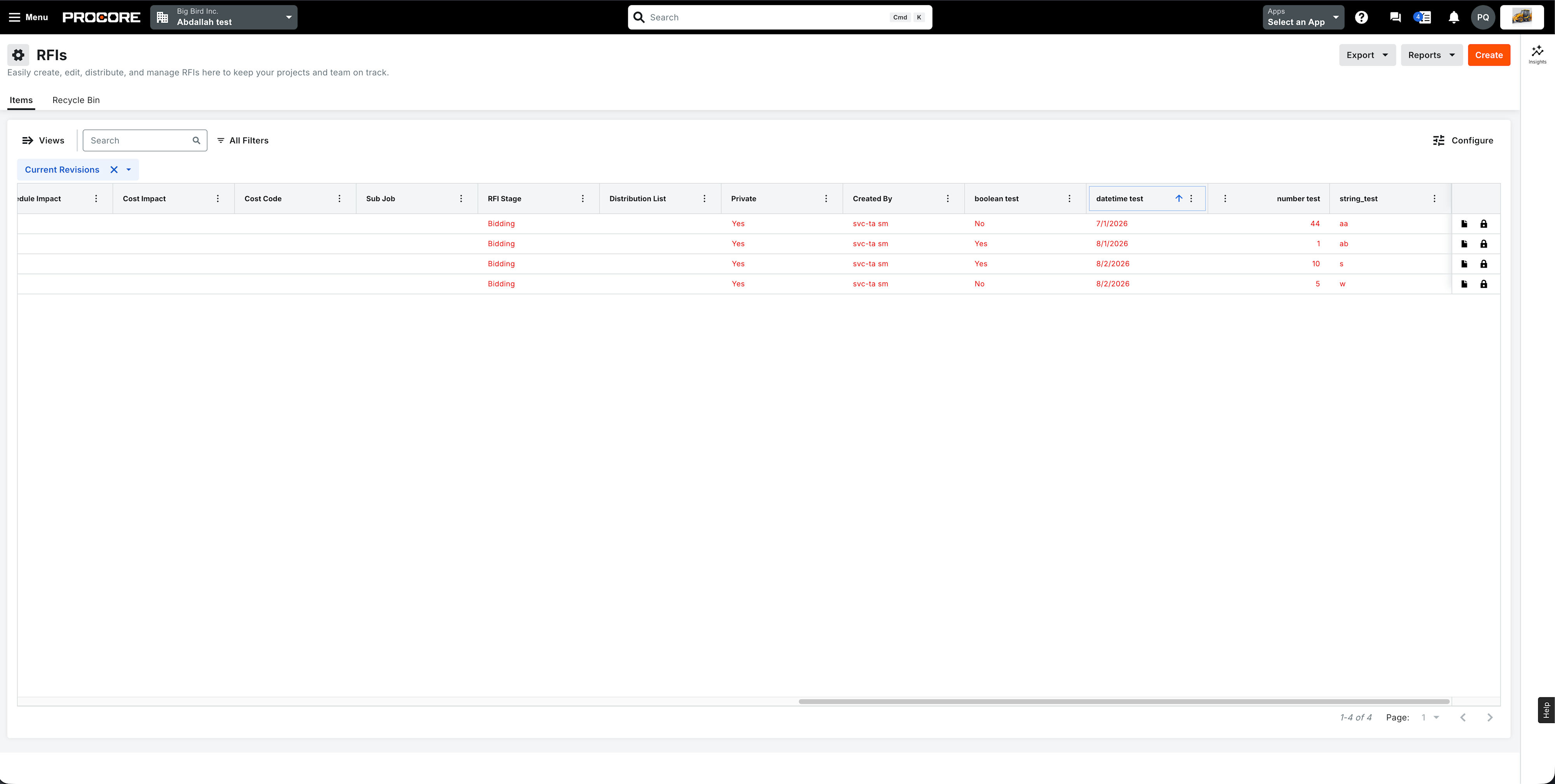
"What it is: You can now click a custom field column header in the RFIs list to sort the log by that field. Sorting works for Boolean, date and time, number and text custom fields, in chronological, numeric or alphabetical order. Other custom field types aren’t sortable yet. Who it’s for: Project managers, project engineers and anyone who triages RFIs using custom fields. Why it matters: Custom field columns used to be display-only, so ordering the log meant scanning it by hand. Now they sort like the standard columns, which makes a large log faster to organize. How to get started: Open the RFIs list and click a custom field column header. See “Search for and Filter RFIs” on the Procore Support site."