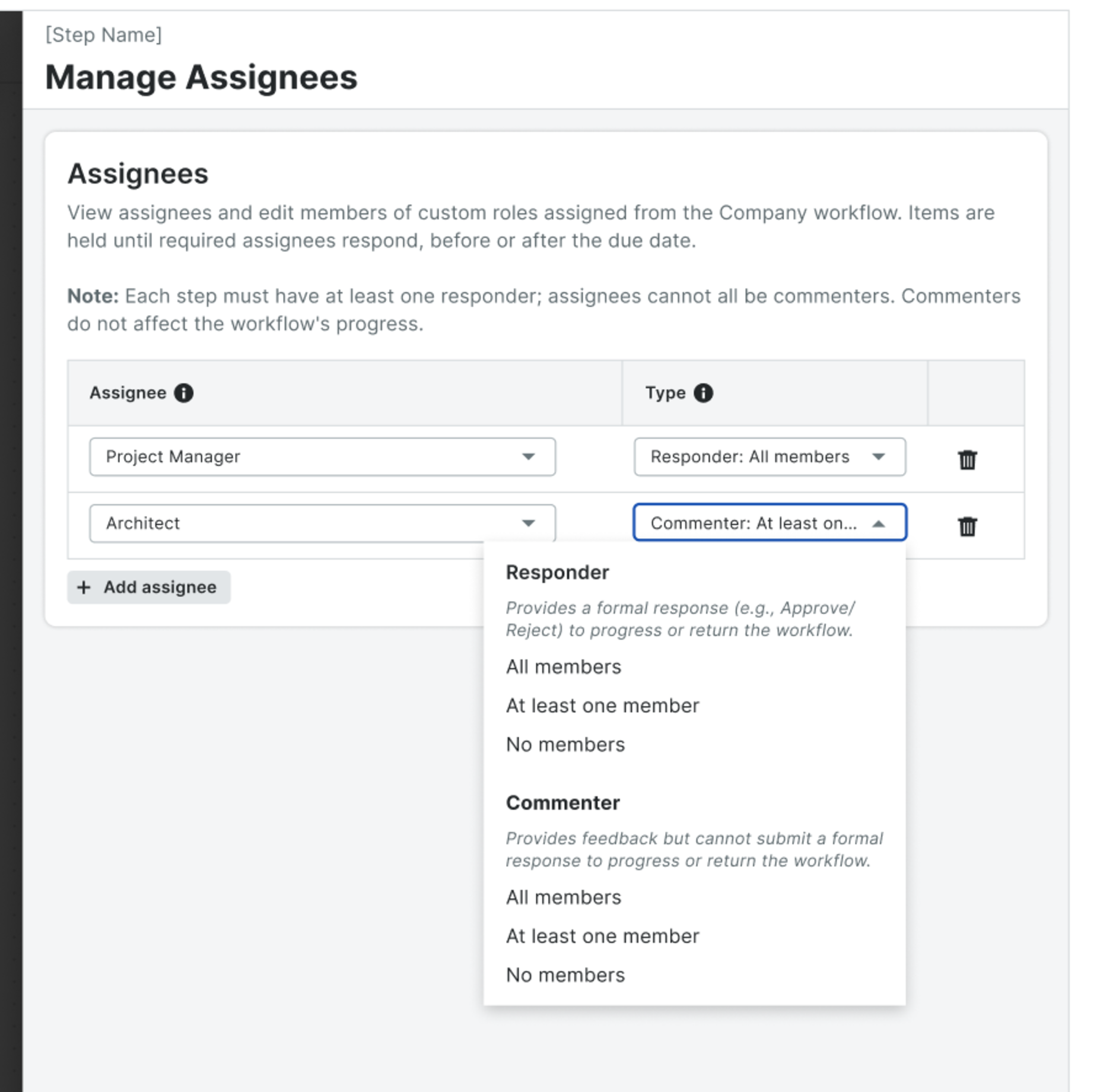
Alongside the existing Responder, you can now add stakeholders who provide input on a step — comments, attachments, markups — without being forced to pick a status like Approve or Reject. Required Commenters can even gate a step, so a Responder can't decide without their input. This part is web-only on Diagram workflows for tools that don't yet have mobile workflows (Payments, Budget, Document Management, Invoicing, Prime Contracts, and web-only Commitments item types).
Who it's for: Anyone who touches Workflows — company admins standardizing how approvals run across the platform, project accountants and PMs pushing invoices and change orders through review, Document Controllers and Architects working through hundreds of items at a time, and specialized reviewers like legal counsel, external consultants, and subject-matter experts who contribute expertise but shouldn't be on the hook for a formal decision.
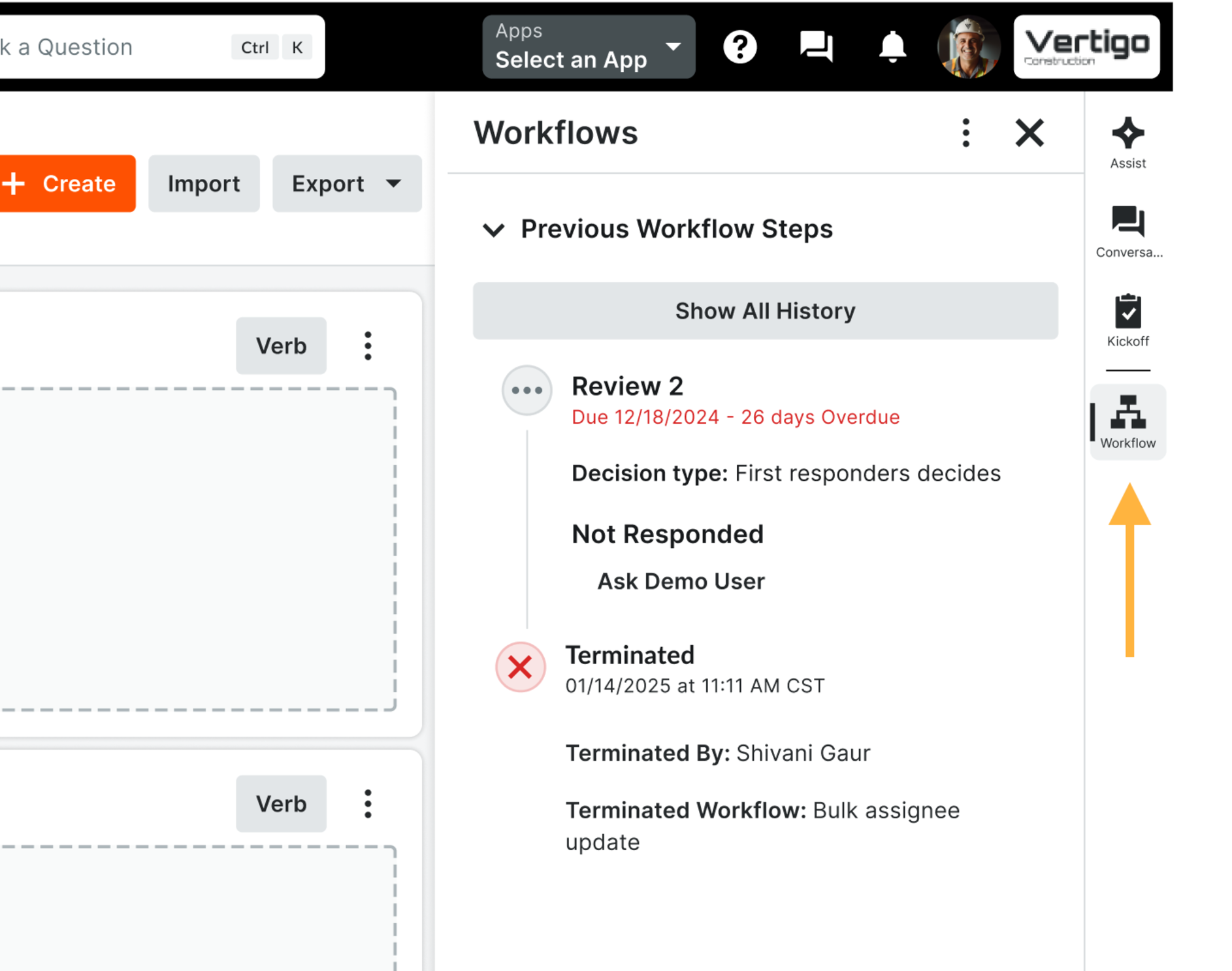
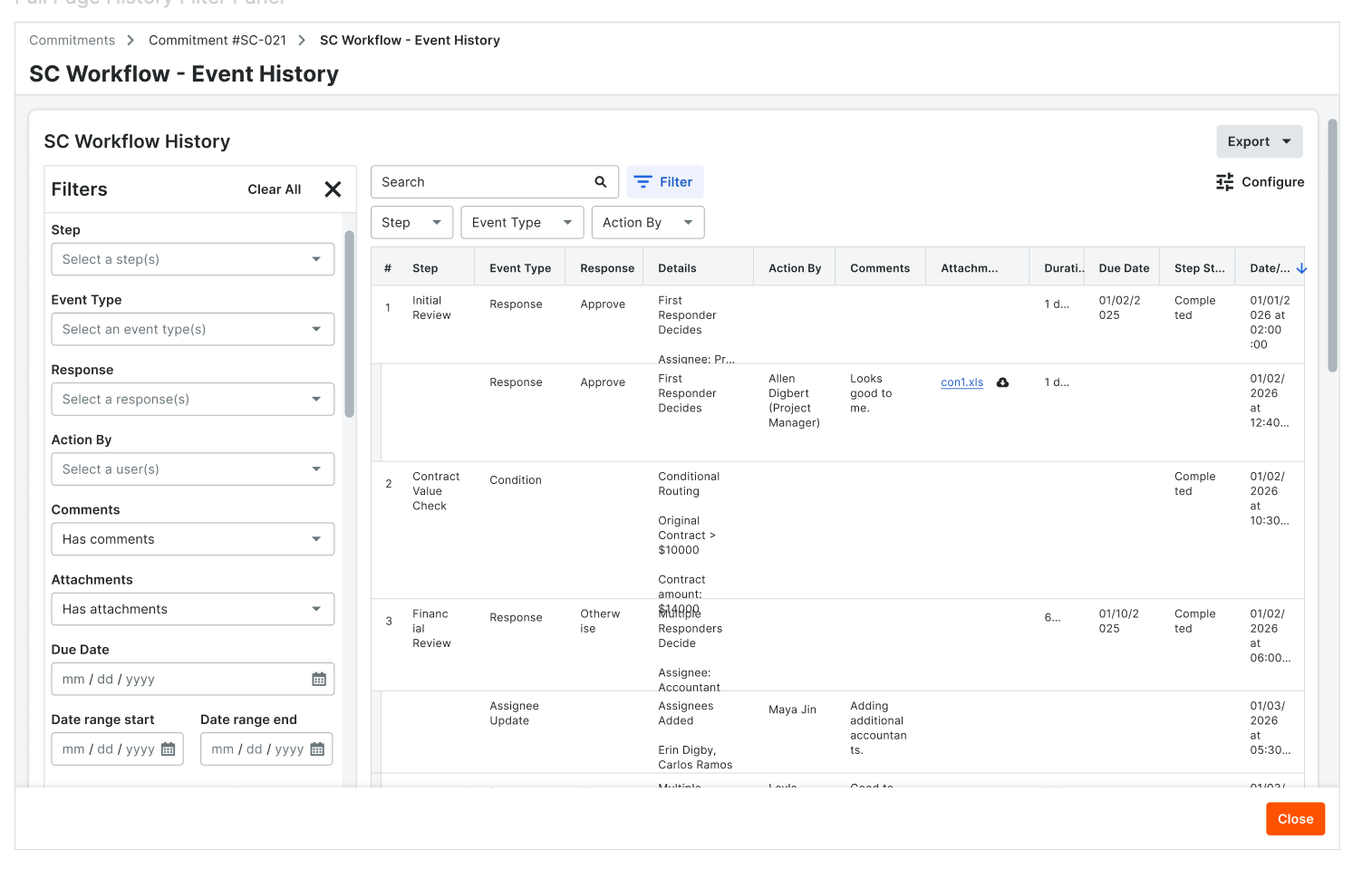
Why it matters: The outcome is a review cycle that moves faster, holds up under audit, and finally works for the people who've been forced around it. Because Workflows now lives in the same sidebar across every tool, your team can quickly find it everytime they need it. The full-page history and exports replace the copy-paste-into-a-spreadsheet workaround and cycles that used to take a week of manual reconciliation collapse into a single filtered export, and your audit trail comes out of Procore in the shape your specialty contractors, owners, and auditors actually want. And because Commenters can now weigh in without owning a formal decision, the legal reviewers, consultants, and SMEs who used to route their input outside Procore — fragmenting the record and slowing everything down — come back inside the workflow. Customers running ISO 19650 or other formal Check/Review/Approve gates can model that structure natively instead of chaining together multi-step workarounds, and every reviewer's contribution shows up in history under the role they actually held.
How to get started: The sidebar experience turns on automatically — open any supported item and Workflows is right there in the sidebar. The full-page history opens from that same panel for anyone with the View Workflow History permission, and company admins can set default filters in Workflow Settings so reviewers across the organization start from a consistent view. To use the Commenter role, admins add it to a workflow template on a Multiple Responders Decide or First Responder Decides step, mark it required or optional, and the workflow engine handles the rest — including the emails, My Open Items entries, and history labeling that keep advisory input distinct from formal decisions.