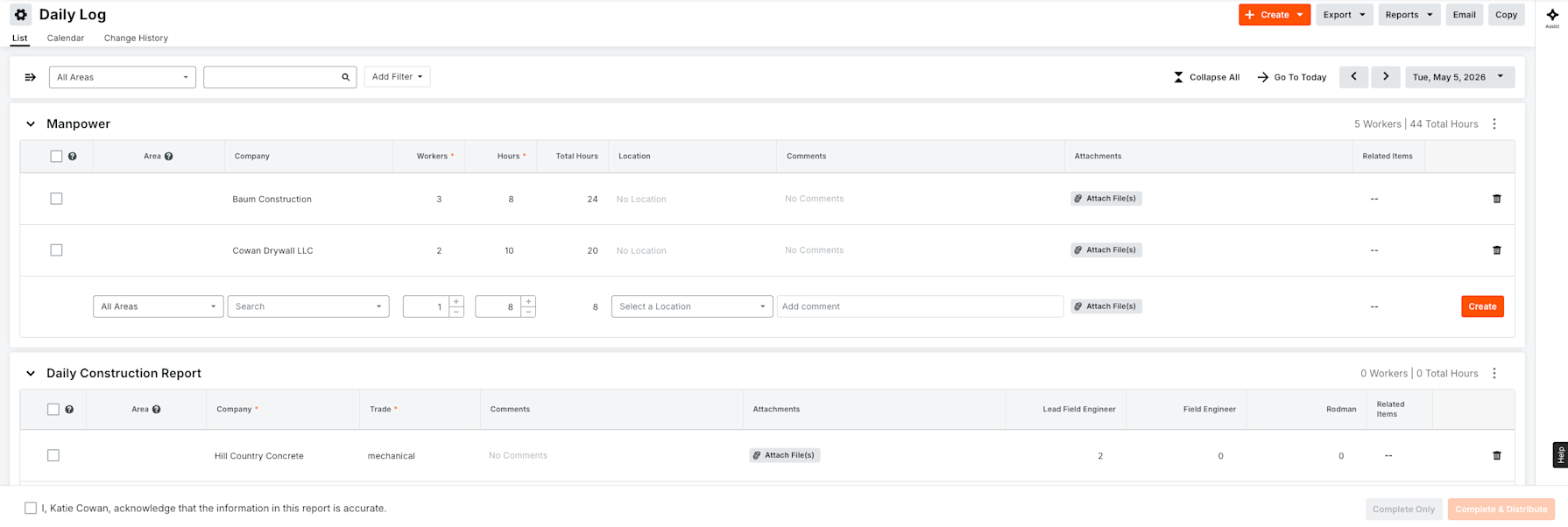
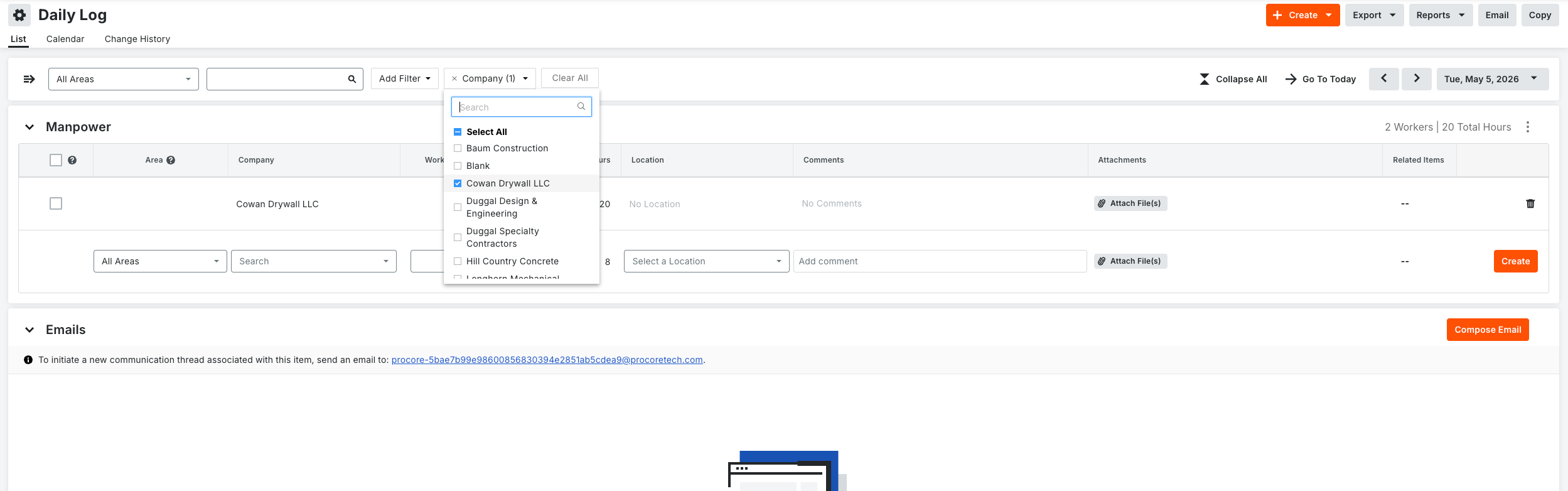
When you filter the Daily Log, the tool now shows you only what matches — and the numbers keep up. Apply a filter and your manpower totals (hours and workers) recalculate to count just the logs you're looking at. Log types with no matching entries drop out of view until you clear the filter, so you're not scrolling past empty tables. If nothing matches, you get a clear "no results" message instead of a wall of blank sections. Works with single filters, multiple filters, and combinations like company plus date range plus trade. This is for anyone who lives in the Daily Log — superintendents, project managers, and field teams tracking manpower and daily activity, especially on busy projects with a lot of entries to sort through.
Until now, your manpower totals always reflected the whole log, even after you filtered — so the numbers didn't match what you were looking at, and it was hard to trust them. On top of that, every log type stayed on screen whether it had matching data or not, which meant a lot of scrolling. Now the totals and the view both reflect exactly what you filtered for. You get an accurate count and a clean screen, which matters most when you're pulling numbers for a specific company, trade, or date range on a high-volume job. To get started, open the Daily Log, apply any filter (or combination of filters), and the totals and visible tables update automatically. Clear your filters to see everything again.