CONSTRUCTION PUNCH LIST SOFTWARE

Manage all your punch lists from your computer or smartphone.
Request Free Demo

Easily Manage Punch Lists

  • Never overlook a punch list item
  • Assign new items using email
  • Maintain a history of every item
  • Create items using mobile apps
  • Send emails on overdue items

Easily Create and Manage Items

Procore's construction project management software makes creating and managing punch list items as easy as clicking your computer mouse. Items are automatically dated and numbered, and all actions are logged by Procore.

Use Mobile Apps To Manage Lists

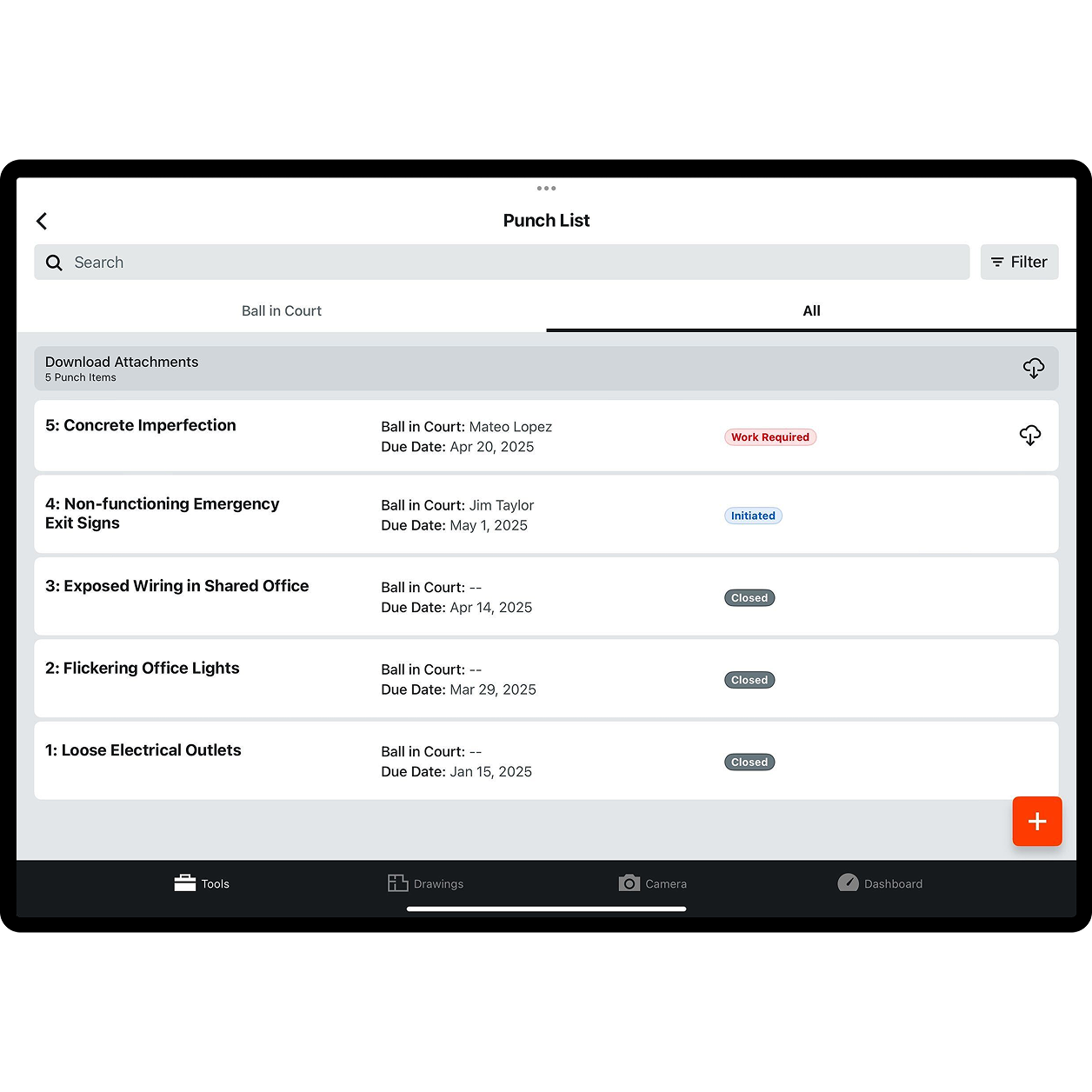
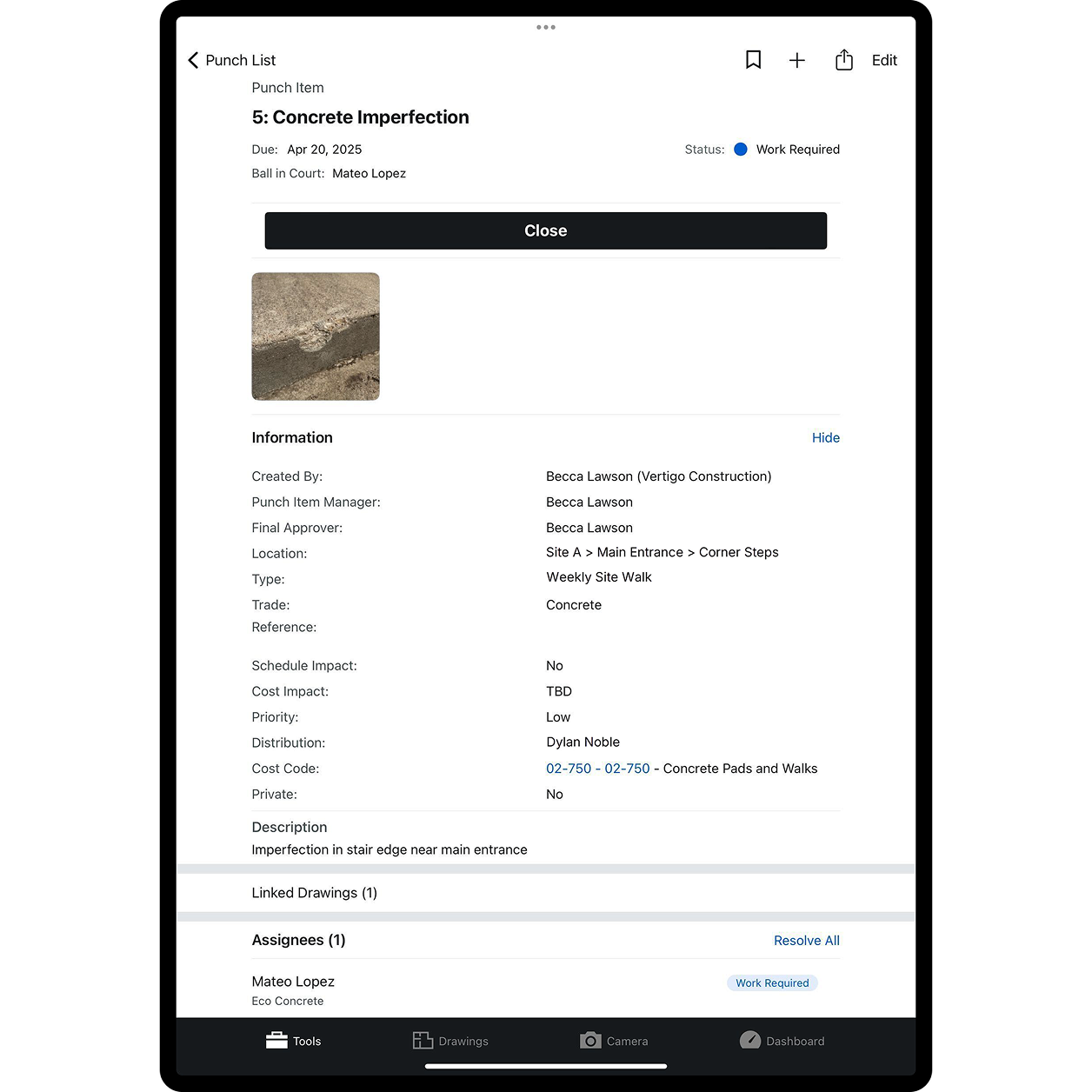
Procore's mobile apps for iPad, iPhone and Android make it easy to create and manage punch list items right from the field. Snap a photo, record a location, assign an item and set a due date all from your phone or tablet.

Maintain & Review Item History

Procore construction software provides a complete history of all of the actions taken for every single punch list item. See all of the correspondence, who said what, when an item was opened and closed, all in one view.

Never Lose a Punch List Item

Procore's Punch List views let you filter items by status, such as Open, Closed, or Pending. You'll never lose track of an item, and items can be set to automatically send overdue email notices to responsible parties.

Detail: Procore's Construction Project Management Software Punch List

Procore’s Punch List tool has several features that make it stand out from other construction project management software packages. The Punch List tool allows a project manager or construction project superintendent to keep a clear list of issues; assign responsibility for each of those issues to a specific person at a specific company; mark a due date for each issue, and
track the current status of the Punch List issue.

Procore even extends the Punch List tools functionality outside of the computer to the iPad, iPhone and Android mobile platforms. Unlike other construction software, Procore is fully web-aware, and is available via access from mobile apps that were designed for the iPad iPad Phone, or Android operating systems. Procore’s Punch List tool was the first inspiration for our mobile apps – after all, what could be more useful than to create and assign Punch List items directly from the field, where most issues are likely to be found? Mobile users can create a Punch List item, snap a photo with their camera phone, assign responsibility, and set a due date for the Punch List item, all from their iPad, iPhone, or Android device.

Creating a Punch List item in Procore’s web-based construction project management software is as simple as clicking on the “Create New Punch List Item” button. The user names the Punch List item, assigns responsibility for the item, and then selects the Procore users from Procore’s online Directory to receive automatic email updates about the status of the Punch List item.

Procore provides a large text area for adding details about the Punch List item that will appear within Procore’s construction management software. Users can cut and paste text from other applications directly into Procore, and then can add extensive formatting and perform a spell check on the Punch List item description field. The Punch List item Cost Code and Location can also be specified.

The Procore user can specify a Due Date for Punch List items. This is an important step, since Procore’s construction project management software automatically monitors due dates and sends overdue email notices if desired. The overdue email notices help to keep Punch List items from falling out of sight, and clearly note when a specific Punch List item’s due date has passed. The email notification feature is a check box item – if a user would prefer that overdue notices not go out, the box can be left unchecked and no reminders will be issued by the Procore construction software.

Schedule and Cost Impacts are another important source of information that can be specified within a Procore Punch List item. Users can note whether an item will have any impact upon the project schedule, and if so, how many days the project will be delayed by the specific Punch List item. If the item does cause a delay in the construction project, the user can note whether or not this Punch List item will also have a Cost Impact upon the project.

Every Punch List item within Procore’s construction project management software can also have documents, images or digital photos attached to the item as it is created. Because Punch List items often have to do with plan specifications or physical issues on the construction project job site, the ability to attach a digital photo becomes very important for adding clarity and understanding to a specific Punch List item.

Mobile users can quickly create and assign Punch List items within Procore’s construction software application. A user simply taps the Create New Item from within the Procore project section on the app (either iPad, iPhone or Android), and then fills in the appropriate fields. A mobile user can assign responsibility for a Punch List item, set the due date for the Punch List item, and create a list of other Procore users to receive status updates. Procore’s mobile apps allow users to take a quick photo with their camera phones, which then can be attached to the Punch List item.

Procore’s construction project management software application also keeps all of your Punch List items safe and secure on the system’s multiple hard-drive disk arrays, which are securely hosted at several off-site facilities. Punch List items can be viewed in several different ways, including Open, Pending, and Closed. Punch List items can also be Hidden from view by Administrative Users in Procore’s construction project management software system. PDF versions of the Punch List reports are available in Procore for circulation amongst project team members, as well as for archival purposes.