Procore for Android
- Free Android app included with Procore annual access agreement
- Real time syncing with web app
- Create & manage project data
- Forward project information instantly
- Access & read project documents
- Create punch list items with photos and due dates
Downloading Procore for Android
Click here to see the Procore page in the Android Marketplace. Download Procore for Android by searching the Android Marketplace for "Procore" using your Android device.
Access Project Documents
Procore for Android's Docs tool gives you access to your entire project document archive stored in Procore. Android users can view any of the project documents stored in the most common formats, including PDFs, Word docs, and Excel spreadsheets.
Take Your Punch Lists Everywhere
Procore for Android includes a complete Punch List tool. View the Punch List items for your projects, whether they're Open, Overdue or Closed. Create new punch list items and assign responsibility with a due date directly in the Android app.
Project Data On Your Android Device
Procore's Android app brings the power of Procore's construction project management software right to your phone. Changes and additions to your project data made on your Android device are instantly synced with your Procore project data.
Add Photos From The Job Site
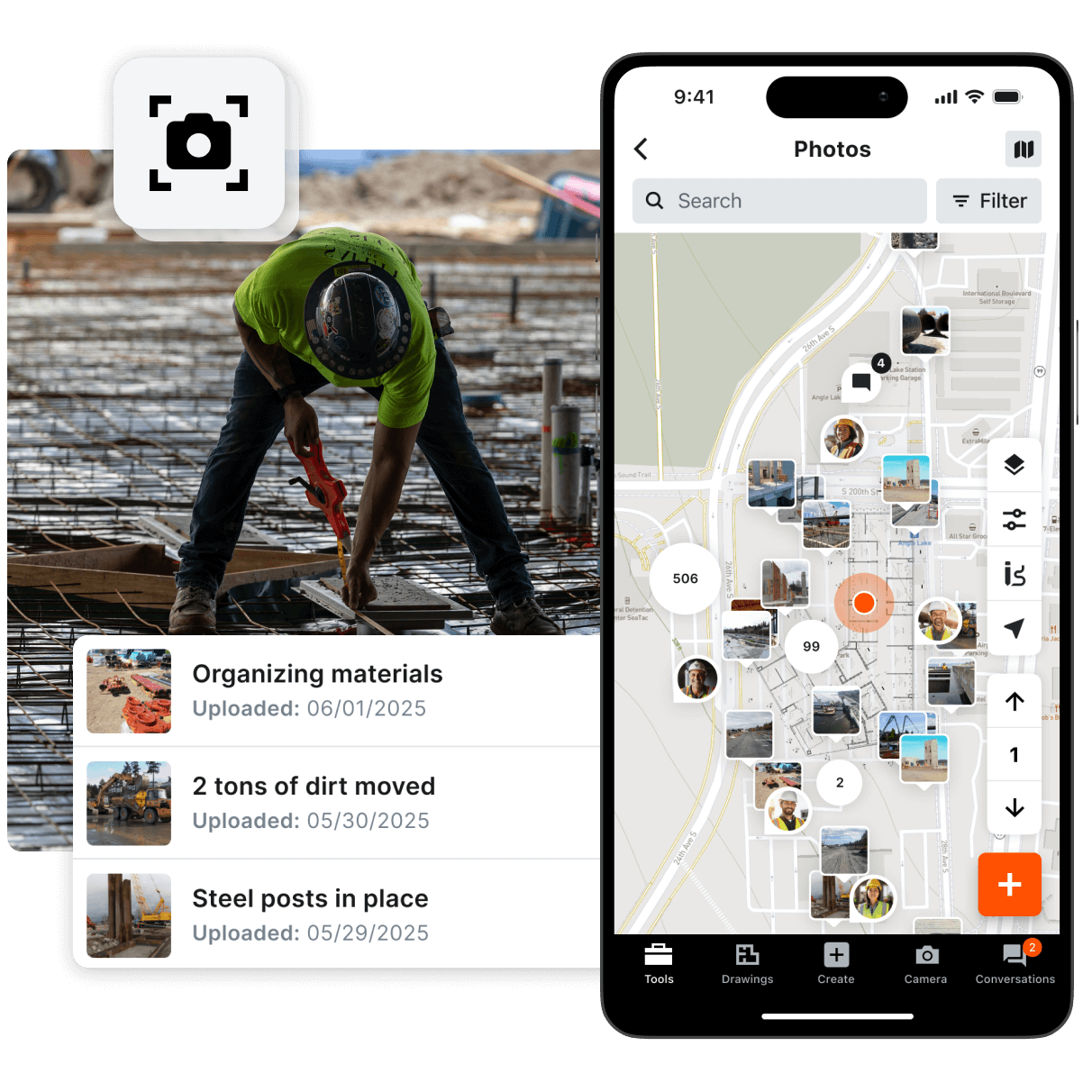
Add photos to your Procore Photos archive right from your Android device. Photos added to Procore are kept safe and secure in a centralized online archive. Project team members will know where to find every photo.
View The Status of Any RFI
Procore for Android's RFI tool makes it easy to check on the status of any RFI in your Procore projects. Look at just your own RFIs, or see all of the RFIs on the project.
Detail: Procore's Construction Project Management Android App
Procore for Android is available at no charge to all registered
Procore users.
Any member of your project team can login using their Procore account information. Procore for Android makes it simple for your project managers, architects, sub-contractors and others to share and manage project information from the field or office.
Dictate Your Daily Log Notes
Procore for Android lets you dictate your Daily Log Notes and turns whatever you say into text – with amazing accuracy. If Procore doesn't get it right, you have the option to edit your note before saving it.
With Procore for Android, you can add notes to your Daily Log in moments. Enter notes in today's Daily Log, or for any day in the past. Procore will date and time stamp the note and keep it safe in the secure online project archive.

You can add as many notes as you like for each day's entry – Procore for Android gives you a virtual assistant to save vital project information directly to your Daily Log.
Access Your Project Directories
Procore's Project Directories can store thousands of contacts related to your projects. Procore for Android allows you to carry these contacts with you at all times.


Search for contacts by project, name or company. Once you find the person you're looking for, just tap to call or send an email. Procore for Android will even show you their address in Google Maps.
Need to share contact info? Tap the "Share Contact" button to email contact info from your Android. Need to save some contact info to your Android phone? Tap the "Add to Contacts" button. Simple.
View and Share Your Project Documents
Procore for Android’s Docs tool gives you access to your entire project document archive stored in Procore. Procore for Android lets you view any of the project documents stored in the most common formats – including PDFs, Word docs, Excel spreadsheets and more. Zoom in to see details and read the fine print, scroll through a multi-page document to review.
Search for files by name, and access sub-folders with a quick tap. Switch between different versions of a single document to review changes and edits. Project permissions set in Procore extend to Procore for Android, ensuring that users see only the documents they have access rights to. Share documents via email with a single tap, from wherever you have a cell or Wi-Fi signal.
Add Photos From the Job Site
Take advantage of Procore's unlimited storage space for your project photos. Photos added to Procore are kept safe and secure in a centralized online archive. Project team members will know where to find every photo.
With Procore for Android, you can find project photos by searching the photo categories you define in Procore. Share any photo by simply tapping on it – Procore will email the photo as an attachment.
Want to add a new photo to Procore? Snap a picture with your Android and add it directly to a category.
Take Your Punch Lists Everywhere
Procore for Android is a complete Punch List tool right on your Android device. View the Punch List items for your projects, whether they're Open, Overdue or Closed. Need to create a new Punch List item? Enter the title of the item, assign responsibility, and set the due date. Procore for Android will email out the information to the assignee(s).
Procore for Android lets you add a photo to every item – just snap a picture with your Android device. Dictate a description of the issue, and Procore's transcription feature will turn your voice note into text. You can even specify the location of the item so that your assignees know exactly where to find the problem.
See Your RFI Status Anytime
Procore for Android’s RFI tool makes it easy to check on the status of any RFI in your Procore projects. Look at just your own RFIs, or see all of the RFIs on the project. Procore for Android lets you filter long RFI lists by status – choose from Open, Overdue or Closed. Receive real-time updates of every answer to any RFI. Open and review attachments, both for the original RFI
question and for documents attached to RFI answers. Share attached files via email with a single tap. With Procore for Android, you’ll be able to read documents while still in the field, request supplementary information, and close RFIs faster.
Record Time Card Entries
Procore for Android makes it easy to log your time on every project. Whether the time is Regular, Overtime, or Vacation, you can quickly record it in Procore.
To log the time worked, enter a description, select the date for the time entry, enter your time, and save. If your company uses billable time and non-billable time, Procore for Android can note that, too.
Your company's accounting department can access Procore Time Card data whenever it's needed – instead of chasing you down for your completed time card forms.