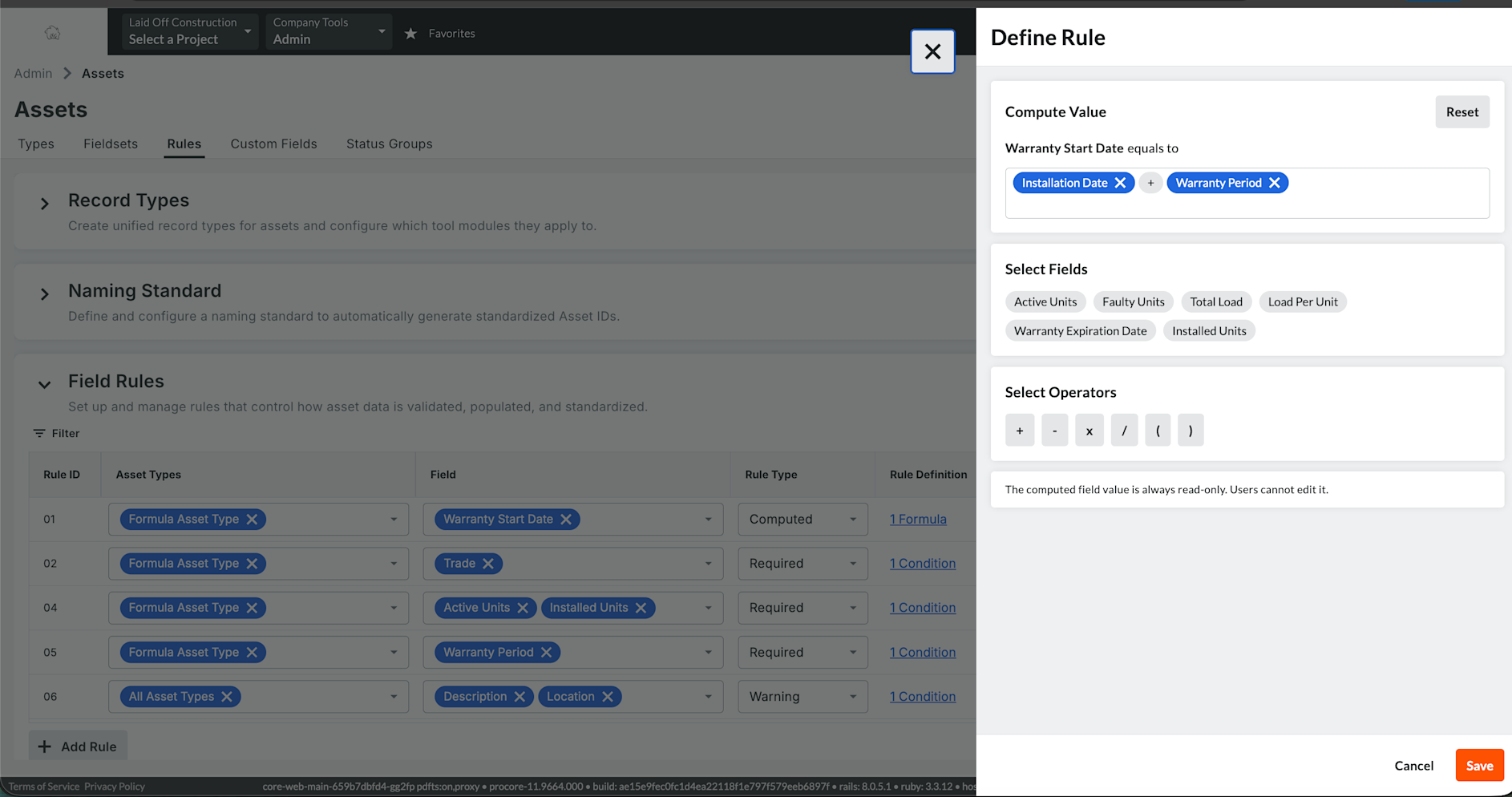
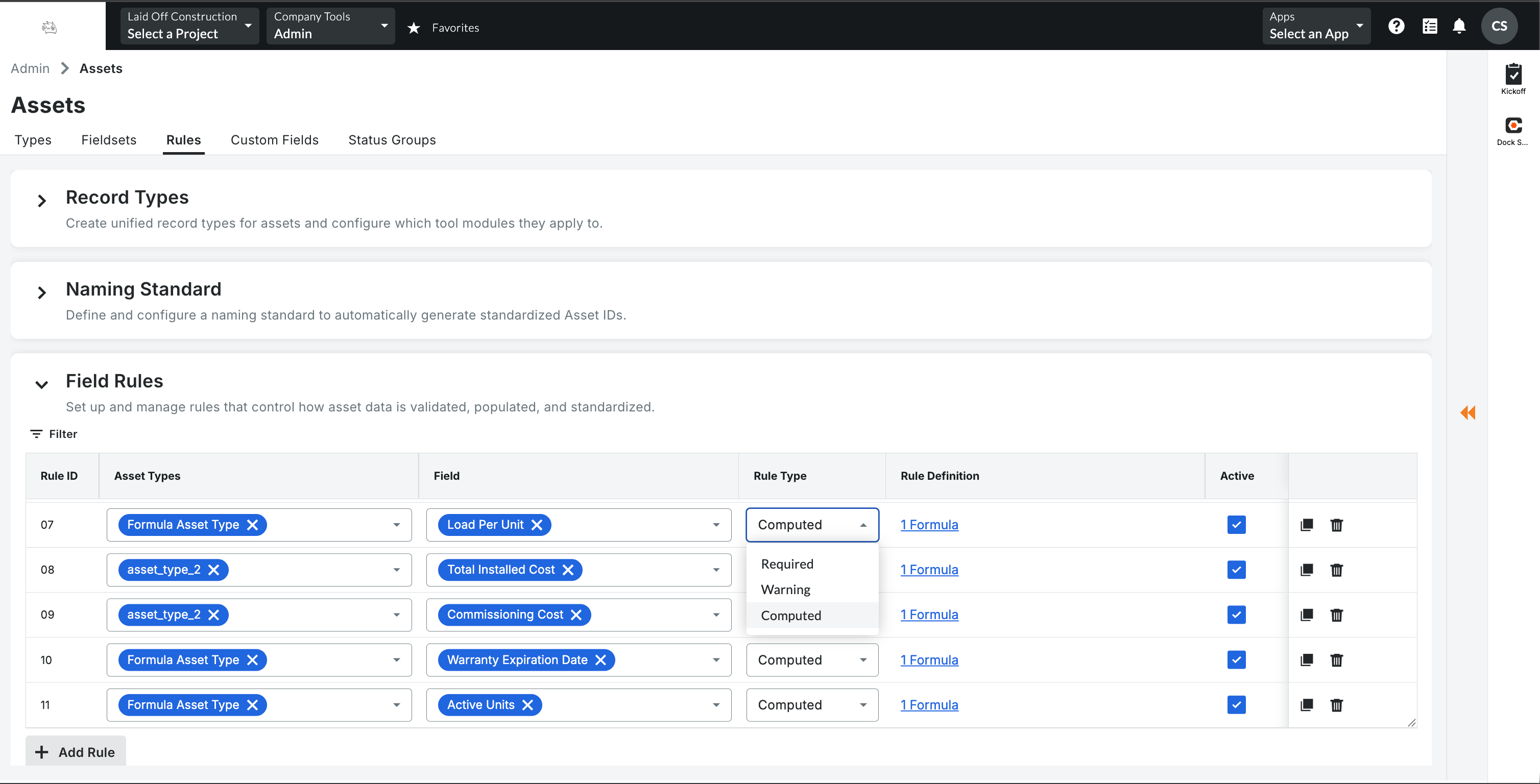
What it is: Company admins can now create Computed rules that calculate number and date fields on assets automatically. Formulas can add, subtract, multiply and divide fields and constants, and date math is calculated in days. Formulas are checked when you save them. Computed values are read-only and update wherever assets are edited, including grid and bulk edits, Excel import, BIM extraction and the API. Who it’s for: Company admins who configure Assets, and the asset managers who rely on consistent asset data. Why it matters: Values such as capacity, warranty expiry or remaining cost were often calculated by hand or outside Procore, which led to inconsistent data. You define the calculation once, and accurate values fill in automatically on every project. How to Get started: Go to Company Admin > Tool Settings > Assets > Rules and add a Computed rule. Choose the asset type, the target field and the formula. Available on the web November 17, 2026.