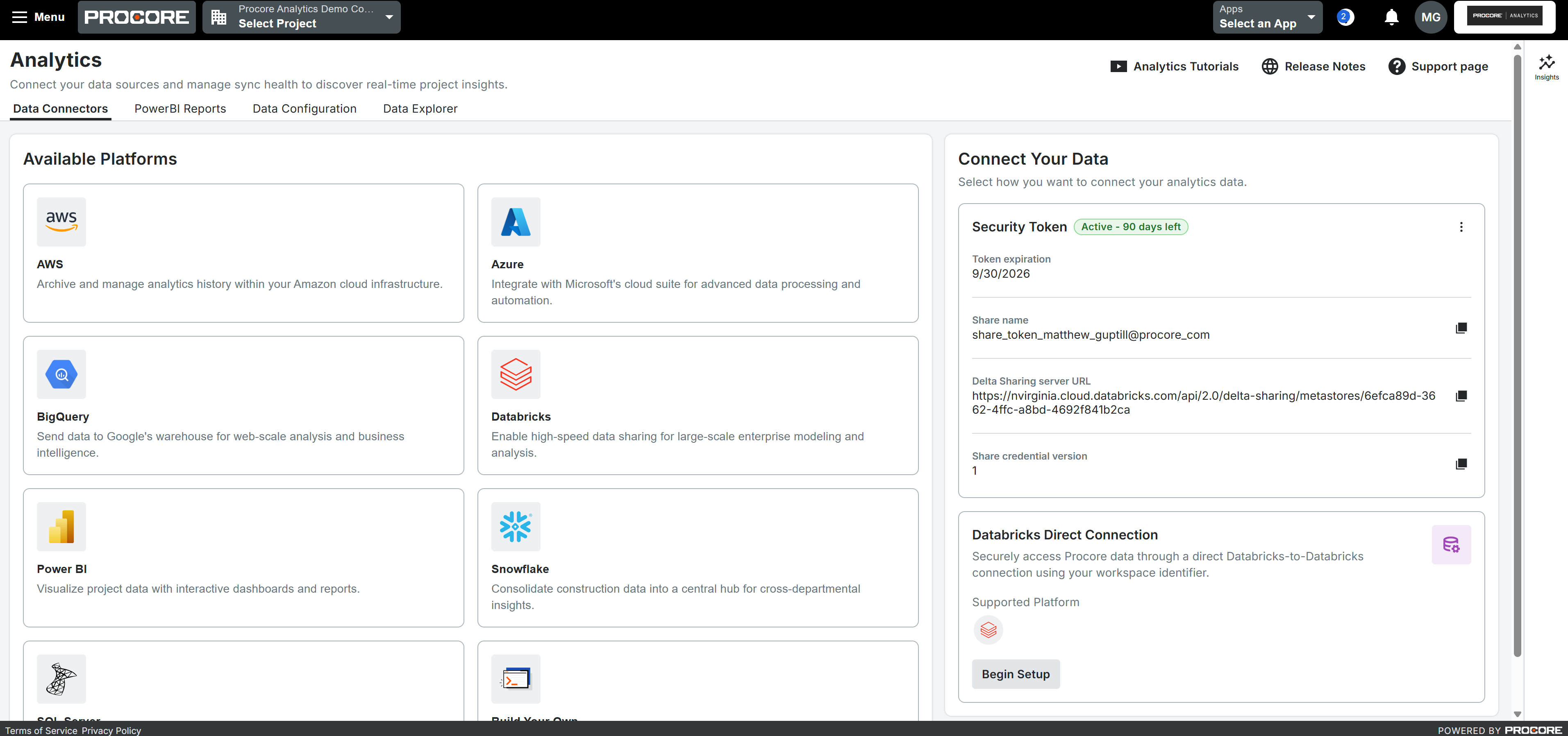
What it is: Phase 1 of a redesigned Procore Analytics interface, focused on getting your data connected. Data Connectors and Data Configuration get a cleaner, reorganized home; security token generation, copying, and deletion move out of your user profile into a dedicated, easy-to-find spot; connecting Databricks directly is simpler; and readiness banners tell you clearly when your data is set to sync. You land right on the Data Connectors page, with a direct path to connect Power BI Desktop. Who it's for: The data and BI analysts, report builders, and admins who set up and manage Procore Analytics connections — especially anyone connecting a new Analytics environment for the first time.
Why it matters: Getting connected used to be a challenging part of Procore Analytics. The old interface was confusing to navigate, the wording wasn't clear, and essential steps like token generation were buried in the user profile — so teams leaned on support to get started and took longer to see value. Phase 1 reorganizes setup around how people actually connect their data: everything is easier to find, easier to explain to a new user, and faster to pick up on your own. Less time fighting the interface, more time getting your data into the tools your business runs on.
How to get started: The redesigned interface is on by default — open Procore Analytics and you'll land on the new Data Connectors page. Generate and manage security tokens from their new dedicated area, connect Databricks directly, and watch the readiness banners for sync status. This is Phase 1; more of the experience, including onboarding, permissions, and full reporting, arrives in a later phase.
Available August 18, 2026