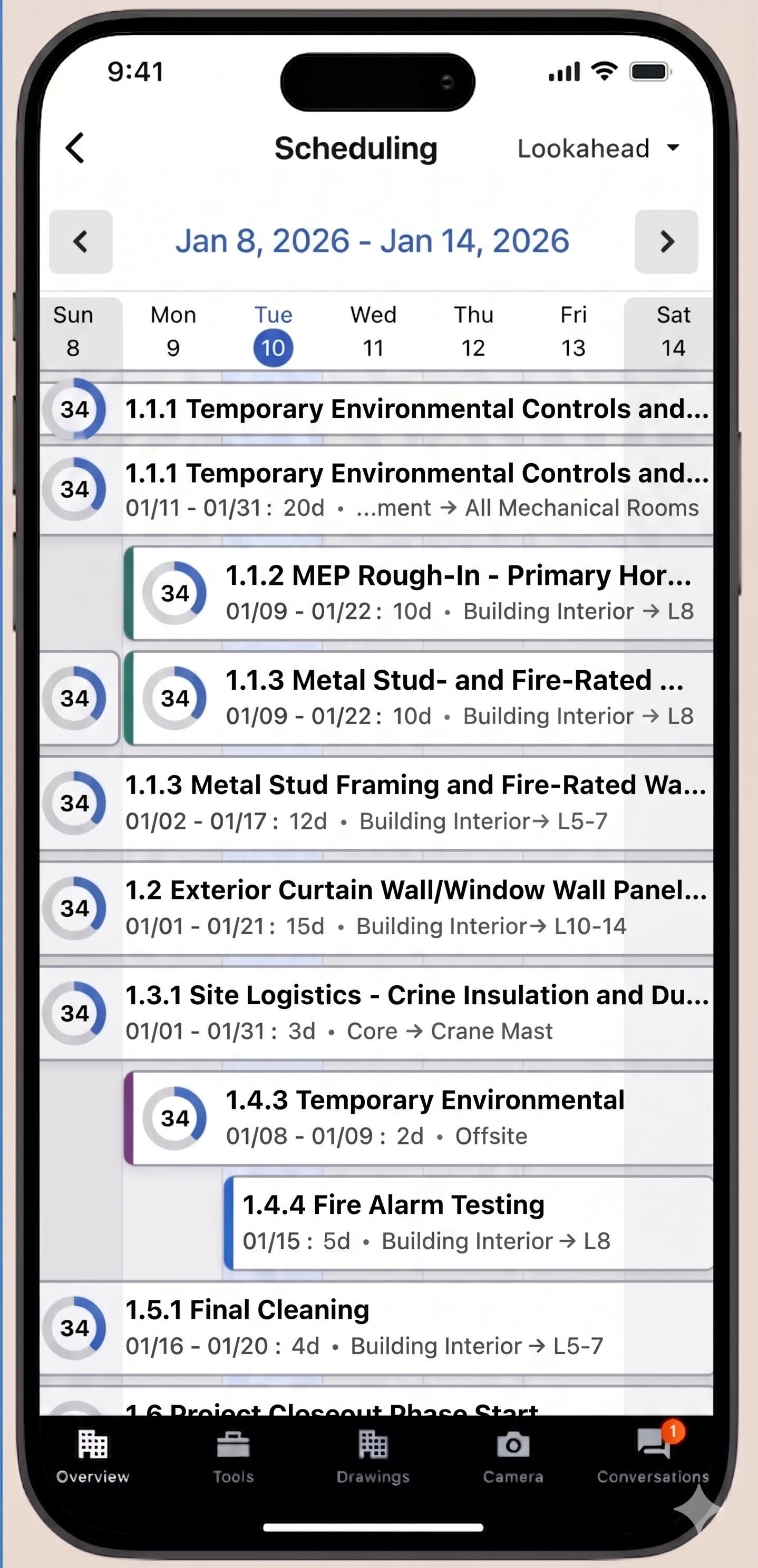
Beta to begin on June 30. Procore Scheduling now has a native mobile experience on iOS and Android, on both phone and tablet. Field and office teams can open imported read-only Project Schedules, editable Procore-native Project Schedules, and Lookahead Plans inside one interface, and view leaf-node activities in a Calendar View with horizontal date scrolling (1, 3, or 7 days on phone; 1, 3, 7, 14, or 21 days on tablet). A one-touch progress control sits outside the details screen — Started, On-Track, and Complete update status (and percent complete) in a single tap. Activity details (% Complete, Start Date, Finish Date, Duration, Notes) are editable, and date or duration updates can either propagate downstream or use Pin Successors to keep the rest of the schedule from shifting.
Filtering covers Keyword (Activity Name), Assignee, Assigned Company, Status, Progress, and Total Float. Offline support is built in: users can view and update schedule data without a connection, and changes sync automatically once a connection is restored. Field permissions mirror existing web permissions; Assigned Company, Assignees, Approvers, and Deadline Date are visible but read-only on mobile. Some scope is intentionally not in the MVP — a Gantt view, activity creation, predecessor/successor edits, linking related items, photos, and comments — and search is by Activity Name, not WBS ID. The result: a single source of truth in the field, faster on-site progress reporting, and less back-office data entry.